
Feature Discovery UX Research
Central idea
Before Embedder can show firmware engineers its best features, it has to get them through the first five minutes.
- Role
- Lead User Researcher
- Project Manager
- Duration
- 10 weeks
- Winter 2026
- Scope
- Usability testing
- Heuristic evaluation
- Competitor analysis
- Design recommendations
- Toolkit
- Zoom
- Google Sheets
- Figma
A YC startup whose best features were hiding behind its setup
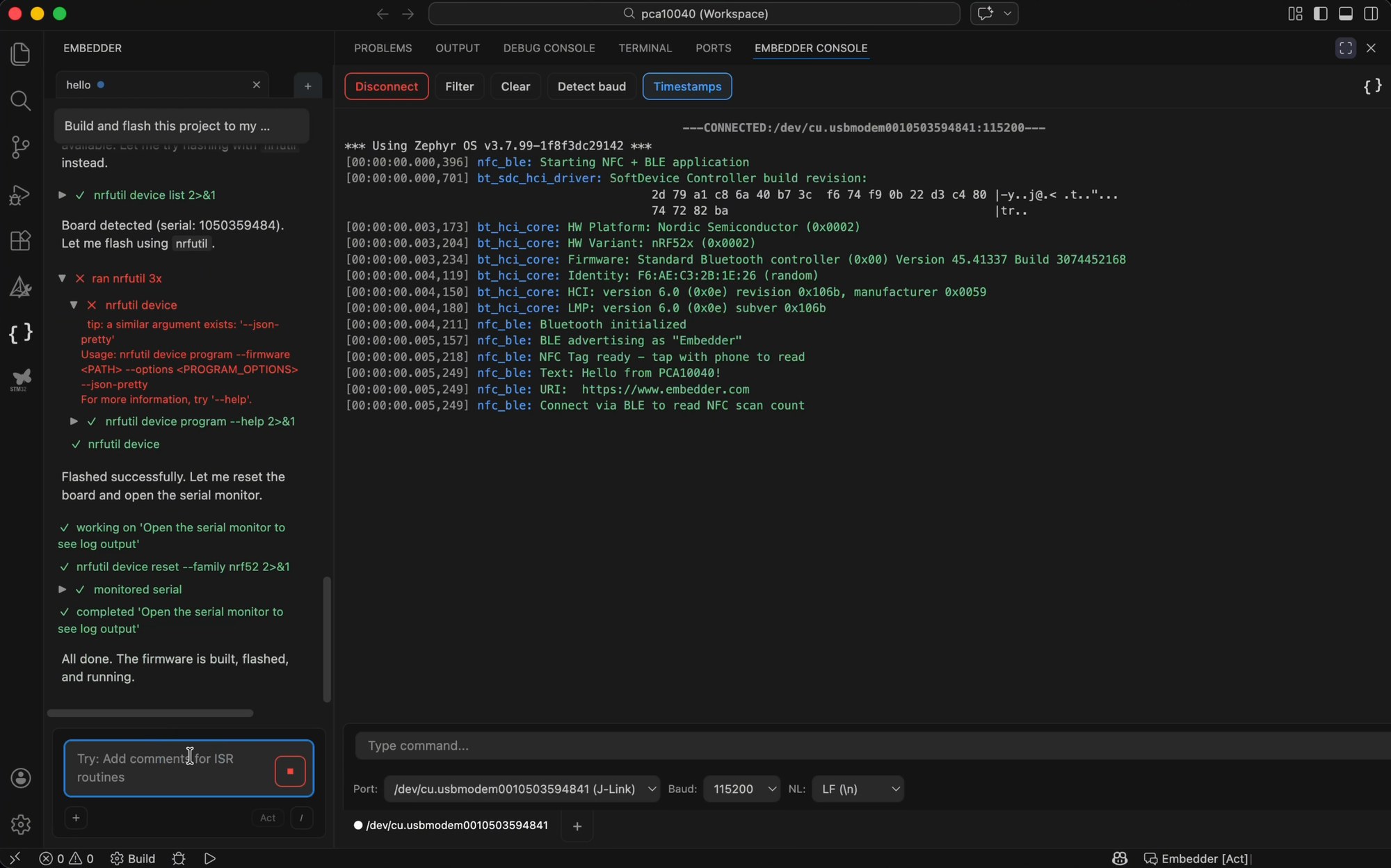
Embedder is a YC S25 startup building an AI coding agent for embedded and firmware development. It runs in the terminal and as a VS Code extension, reads datasheets, and can build, flash and monitor a connected board. Think Cursor, but for firmware.
In Winter 2026 I led a six-person research team through Atlas Digital, a consulting group at the University of Michigan, working with Embedder's CEO, Ethan Gibbs, and their head of product. Over ten weeks we ran 23 hour-long usability interviews, a heuristic evaluation and a competitor analysis, then handed over seven design recommendations backed by coded data.
- Hour-long usability interviews
- 23
- Ran Embedder on the first try
- 30%
- Misread the console's purpose
- 73%
- Design recommendations
- 7
I narrowed a broad brief down to the first five minutes
The founders came to us with a long list: debugging, a hardware debug mode they were considering, whether people understood the value of the product, and a target of 50 to 100 participants. I suggested we pick one thing and do it well: the first five minutes, from installing Embedder in the terminal or VS Code to getting a first useful answer.
There were two reasons. We had no hardware to test with, so we couldn't fairly test flashing or live debugging. And our team's strength was UI and UX, not hardware bring-up. A specific focus would give Embedder something they could act on, where a broad one would give them a pile of opinions.
Debugging and simulation
Closest to Embedder's core value, but it needs real boards and hardware experience our team didn't have.
Value proposition
Worth knowing, but hard to test until people actually have the tool running.
The first five minutesChosen
Installation, onboarding and feature discovery. Testable without hardware, and every user has to get through it first.
We chose depth over volume once the answers started repeating
After 10 to 15 interviews, the answers started to overlap. Rather than chase the 50 to 100 number in the brief, we put the time into depth. Each session ran about an hour and started with the participant's own projects and tools before moving into think-aloud tasks. We finished with 23 interviews, mostly computer engineering and computer science students, with about a fifth of them working engineers.
| Task | What we watched for |
|---|---|
| Install in the terminal | Could they copy the command, finish the install and run Embedder? |
| Install the VS Code extension | Could they find the right extension and open it? |
| First use | Did they find the chat, console, modes and commands, and understand what each one was for? |
Alongside the interviews, we ran a competitor analysis against Claude Code, Codex and Cursor, and a heuristic evaluation of Embedder in both the terminal and VS Code.
Every session went onto one rainbow sheet
Each researcher wrote up think-aloud notes, then we coded every session onto a shared rainbow sheet: a row for each behaviour, a column for each participant. Patterns showed up as solid bands of colour and the outliers showed up as gaps. These are some of the rows that shaped the findings.
| P1 | P2 | P3 | P4 | P5 | P6 | P7 | P8 | P9 | P10 | P11 | P13 | P14 | P15 | P16 | P17 | P19 | |
|---|---|---|---|---|---|---|---|---|---|---|---|---|---|---|---|---|---|
| Installing in the terminal | |||||||||||||||||
| Copied the install command from the website | |||||||||||||||||
| Felt sure the install had finished | |||||||||||||||||
| Couldn't find or run Embedder afterwards | |||||||||||||||||
| Restarted the terminal to get it working | |||||||||||||||||
| Installing in VS Code | |||||||||||||||||
| Went to the website to find the extension | |||||||||||||||||
| Unsure which Embedder extension to install | |||||||||||||||||
| First use | |||||||||||||||||
| Prompted the chat in simple, basic language | |||||||||||||||||
| Didn't notice the Act / Plan / Debug toggle | |||||||||||||||||
| Didn't notice the command menu | |||||||||||||||||
| Typed a question for the AI into the console | |||||||||||||||||
| Said they'd have missed features without help | |||||||||||||||||
People got stuck before they ever saw what Embedder could do
Installation lost half of them
Only 30% got Embedder running on the first try. Half hit installation problems: a quarter couldn't install at all, and another quarter got there after errors like “command not found”, PATH issues and antivirus software deleting the file. 60% didn't read the instructions printed in the terminal, including the one telling them to restart it.
Even if they just add it to the note, like “just restart your terminal,” I think that's totally good.
P1
The console looked like the main interface
73% didn't understand what the Embedder Console was for at first. It opens next to the terminal and shows serial output from the board, but some people tried to chat in it and others closed it as clutter.
I think ‘Embedder Monitor’ is a bit misleading. At first, I wasn't sure what it was and even thought it might be the main interface.
P10
The best features stayed hidden
Over 60% never found slash commands, mode switching or file attachments. Most didn't notice the Act, Plan and Debug toggle, and Act mode was on by default with no explanation of what it would do.
I also didn't really know about the commands or attachments, so maybe a tooltip or a shout-out saying, hey, we have these features as well.
P5
Two ways to install, two extensions to choose from
Preferences split between VS Code and the terminal, so both paths matter. In VS Code, the marketplace listed two Embedder extensions, and several people weren't sure which one was real.
It read as another Claude wrapper
Every participant compared Embedder to Copilot, Claude or Cursor. People called it a “Claude wrapper” and “just a chat box”, something they could put together themselves. Without a clear first impression of what made it different for firmware, they judged it as a general coding assistant.
What about this makes it inherently better than something like Claude Code? Are there any benchmarks you can point to?
P12
Next to Claude Code, Codex and Cursor, Embedder's difference was invisible
Embedder came to us with a brand problem they could feel but not yet measure. Their product sat in the same tools, with the same chat-and-agent layout, as Claude Code, Codex and Cursor, and they wanted to know how people actually saw Embedder next to them.
So alongside the interviews, each researcher took one product and we compared all four across the same 12 categories, from interaction model and context handling to system feedback and unique strength. We weighted the four that shape a first impression most: interaction model, input efficiency, context handling and system feedback.
The comparison explained the brand dilution. There's no widely used AI agent built for firmware, so engineers default to general tools and bring those expectations with them. Embedder's real advantage is hardware context: datasheets, board selection, flashing and serial output. But that advantage lived in exactly the parts people found confusing in the first five minutes, like platform setup and the monitor. Everything people understood instantly looked like every other agent.
| First five minutes | Embedder | Claude Code, Codex and Cursor |
|---|---|---|
| Setup | Extra hardware steps (platform, peripherals) on top of a normal agent install | A standard install and sign-in, with nothing hardware-specific |
| Next steps | Unclear after setup; people weren't sure what to ask or how to phrase it | Cursor surfaces suggestions and actions; the CLIs lean on habits people already have |
| Modes | Act, Plan and Debug cycle through a small button | Cursor uses a dropdown, the pattern people expected |
| What sets it apart | Hardware context, but hidden behind the confusing parts | Familiar, so people judged Embedder against them |
A keyboard-first tool that kept asking for the mouse
We evaluated Embedder in the terminal and in VS Code against Nielsen's 10 heuristics, plus two of our own for AI tools: AI transparency, and mouse versus keyboard. We rated every issue on Nielsen's 1 to 4 severity scale.
It found the same problems from another angle. Embedder's users live on the keyboard, but key controls only worked with a mouse. The loading indicator sat far from where people were typing, so they sent duplicate prompts thinking nothing was happening. Approval prompts could scroll out of view while the agent kept working, and internal labels like “Todo Write” showed up where a plain status should be.
- Heuristics, across terminal and VS Code
- 12
- Issues logged
- 56
- Rated major
- 18
- Rated critical, both mouse-only controls
- 2
 1234
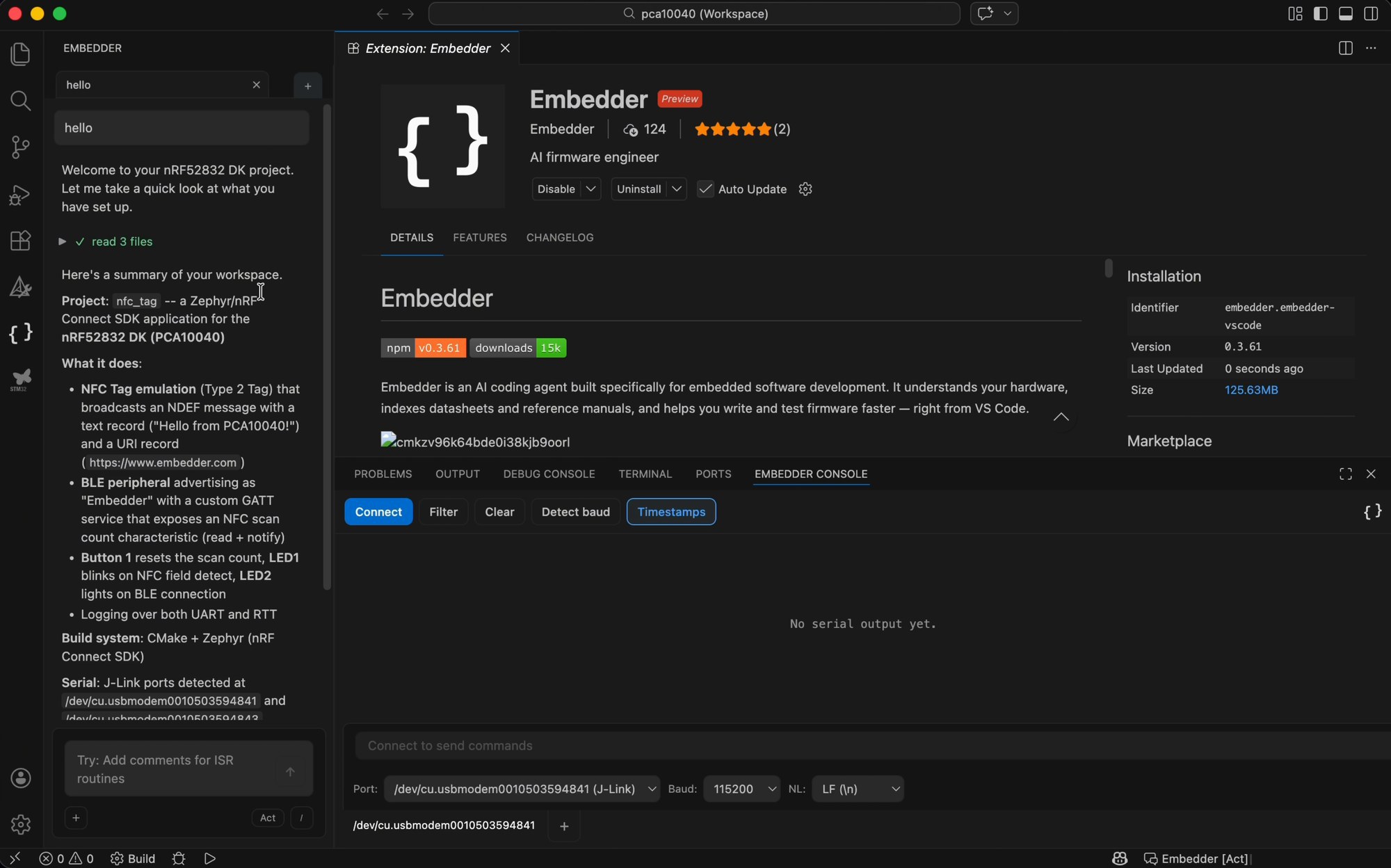
1234- 1The Embedder Console sits beside the terminal with no explanation, so people read it as the place to chat.
- 2Filter, Clear and permission prompts only work with a mouse.
- 3The empty chat offers a single example prompt, with no hint of what else Embedder can do.
- 4Act mode is on by default, and the command menu is a single slash. Most people never noticed either one.
Seven recommendations, each tied to something we saw
| Recommendation | Why | |
|---|---|---|
| 01 | Guided onboarding in VS Code, plus a walkthrough video | Onboarding after install was unclear, and 73% didn't understand the console |
| 02 | Separate “Send to device” from “Ask Embedder” | People typed questions for the AI into the serial console |
| 03 | Keyboard navigation and a command palette | Mouse-only controls in a keyboard-first tool |
| 04 | A consistent design system that matches familiar tools | Controls behaved differently from the IDEs people already use |
| 05 | Clearer terminal install steps, including the restart | 50% hit install issues and 60% skipped the terminal instructions |
| 06 | Suggested prompts in the empty chat | Over 60% never found commands, modes or attachments |
| 07 | Make the two marketplace extensions easy to tell apart | People weren't sure which extension to install |
When I first opened the extension I was a little lost as to what I should do first. Maybe if there were some options I could click on, it would give me a starting point.
P14
The data showed Embedder which fixes were quick wins
The team already had questions about their interface going in, but they needed data before acting on them. Our interviews gave them that. Not every recommendation was built, but together they helped the team spot the low-hanging fruit: changes they could make quickly that would make a real difference. They also told us they valued that every recommendation came with numbers behind it, along with the full transcripts, recordings, coded data and competitor analysis.
Since the handoff, Embedder has replaced the browser redirects that linked the terminal, VS Code and a web account with verification codes. The redirects had been one of the more error-prone steps in setup. They've also changed some of the language in the interface based on our recommendations. For example, the Embedder Console is now called the Embedder Monitor.
They also asked for our read on their marketing site and how well it got across the product, its key features and the brand. They have since rebuilt the whole site, and we gave input on the final design.
What I'd take into the next study
Narrowing the scope was the most useful call I made. Saying no to most of a client's brief felt risky, but a focused question is what made the findings specific enough to act on.
Depth beat volume. Once answers started repeating, more sessions would only have added confidence to things we already knew. Longer sessions about people's own projects told us why they got stuck, not just where.
Next time, I'd bring hardware. Most of our participants were students and none of our team were hardware engineers, so we couldn't judge the parts of Embedder that matter most once someone is past setup. Recruiting more working firmware engineers would close that gap.