
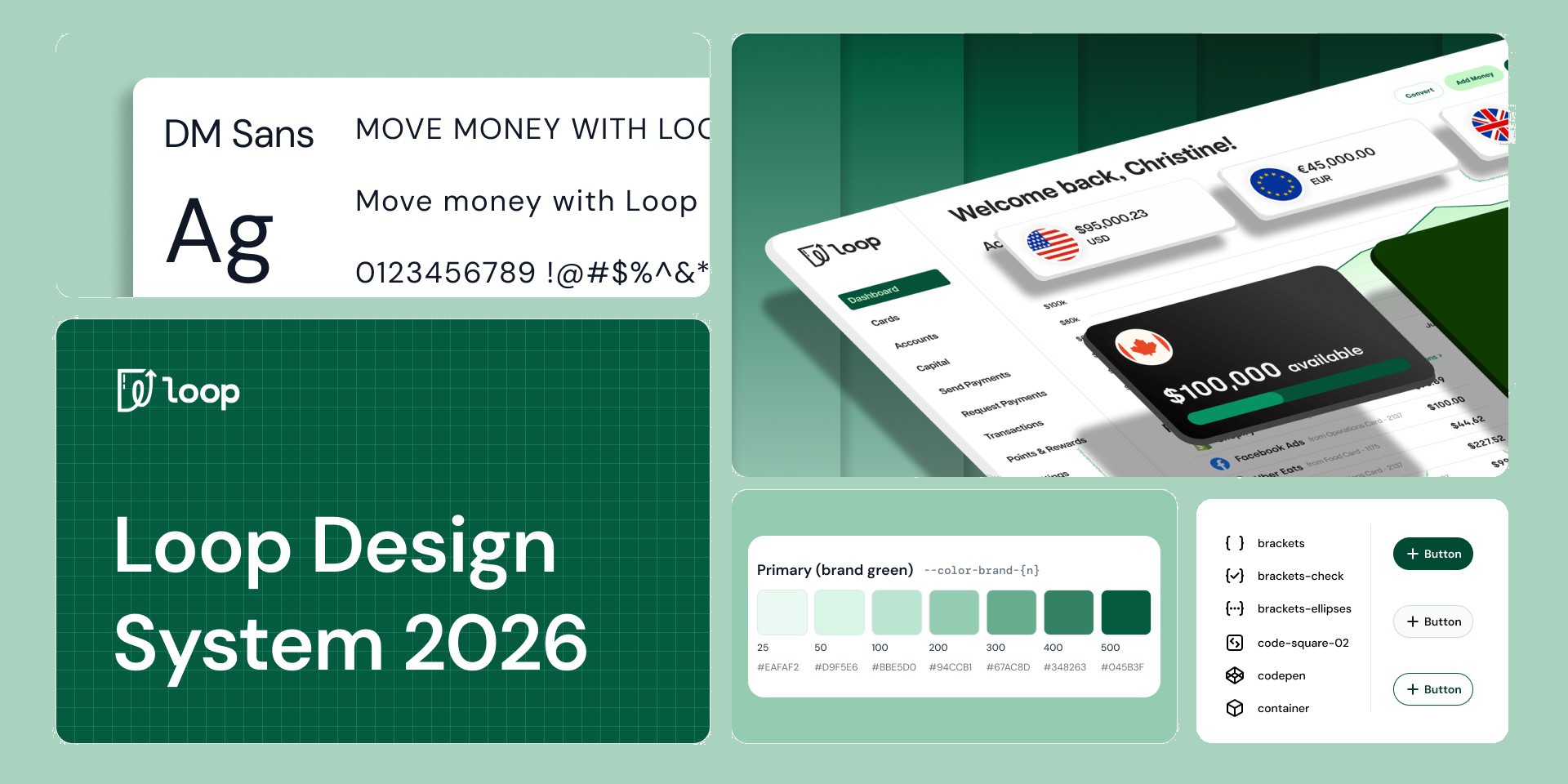
Design MCP + Agentic Design System
Central idea
A design system only helps the people who can reach it, so I built the layer that lets the whole company use it from the tools they already work in.
- Role
- Product Designer
- Design Systems
- Duration
- 2 months
- Summer 2026
- Scope
- Design system
- Design MCP
- Token refresh
- Toolkit
- Figma
- Claude Code
- Storybook
One designer, no system, and a company that needed design every day
Loop is a Canadian fintech that moves money across borders for businesses that operate globally. When I joined as the only designer in Summer 2026, there was no design system. New features and screens were vibe coded from scratch, which cost time and slowly pulled the product away from the brand.
Canadian business banking is dominated by the big five banks, so for a young fintech, looking trustworthy and consistent matters a lot. The inconsistency in Loop's UI was holding it back. What Loop did have was a lean team that was open to trying new tools, so I decided the most useful thing I could build wasn't more screens. It was a system of design tools that the whole company could use without me.
Over two months I built Loop's first design system, led a visual refresh called Evergreen, and built an MCP of 15 design skills that lets people across the company produce on-brand work with their own AI agents.
- To design a feature or UX overhaul
- 5 days → 1
- People with access to the MCP
- 55
- Regular users across teams
- 20–30
- Focused skills
- 15
- Colour primitives
- 74
- Semantic colour tokens, light and dark
- 173
- Typography tokens
- 40
- Live components
- 114
A palette that had drifted away from its own brand
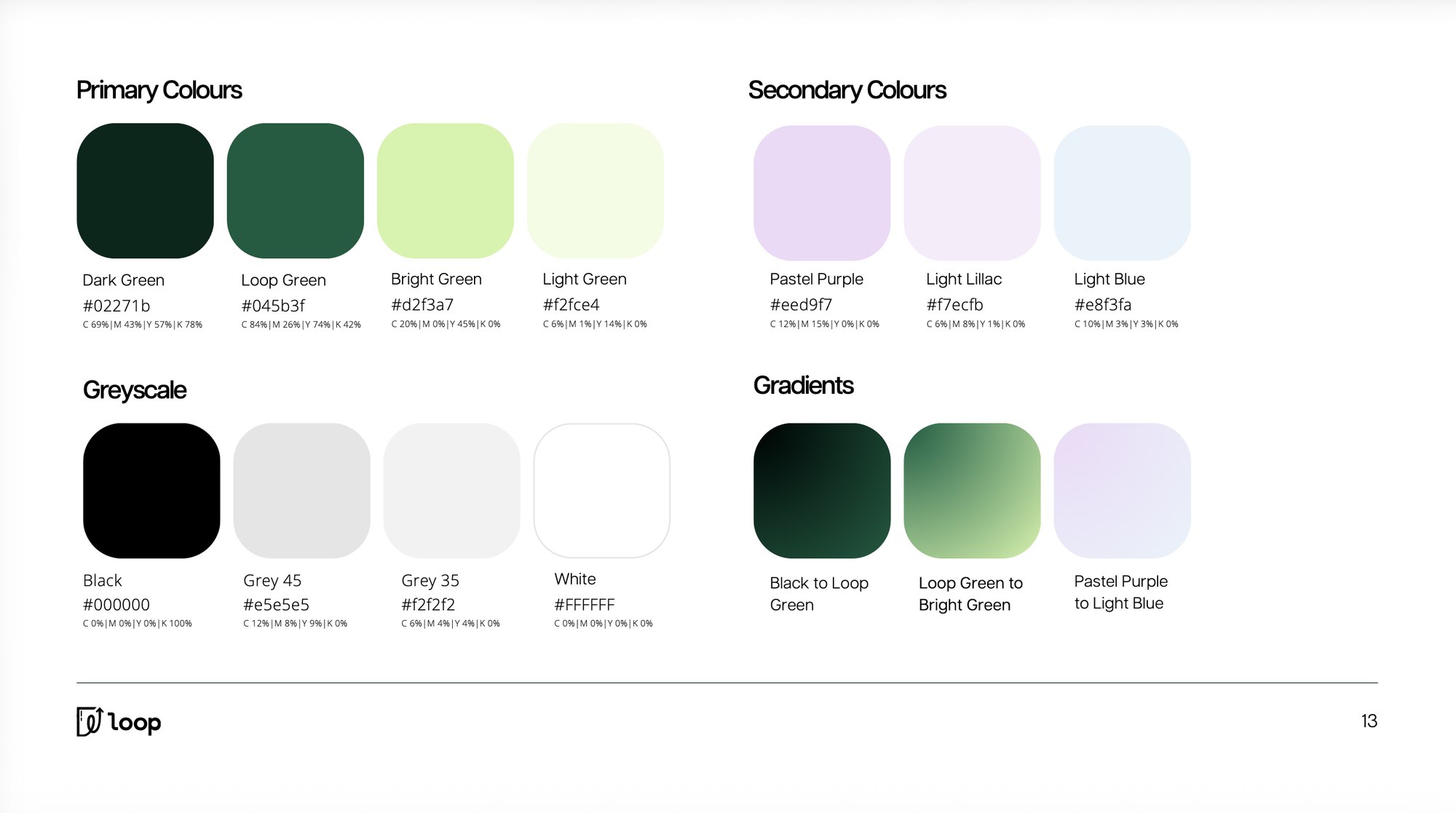
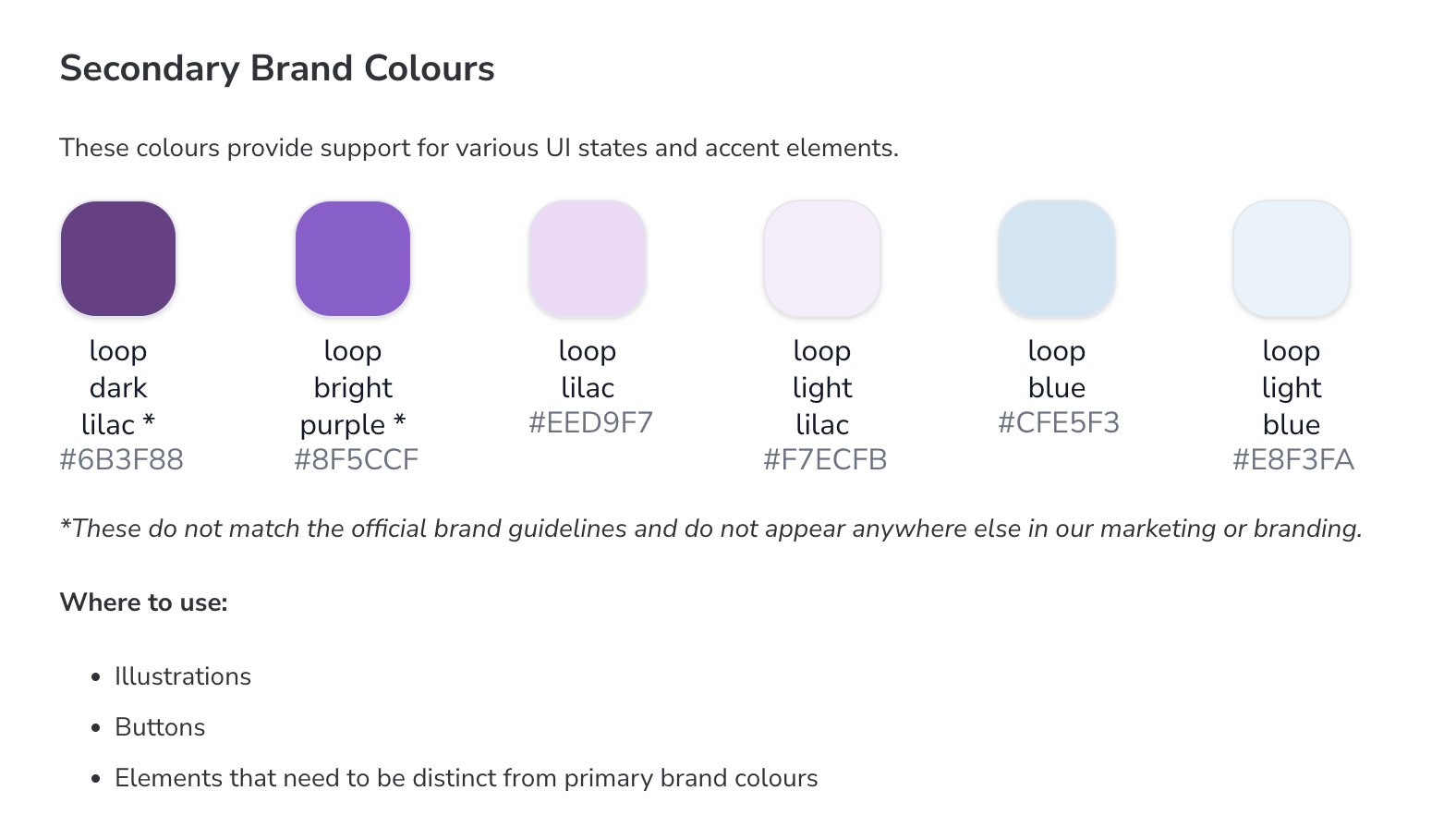
The closest thing to a standard was a Figma frame of hex codes. There were no variables, no aliases and no component library. The brand guide had four greens, but the product also used a set of lilacs and light blues, and two of those purples weren't in the brand guidelines at all. Engineers reached for Tailwind defaults, and Inter was the font across production.
 12
12- 1Product UI used a dark lilac and a bright purple for buttons and illustrations.
- 2Even the old docs admitted these two didn't match the brand guidelines or appear anywhere else.
 12
12- 1The Figma kit was a fork of Untitled UI. The swatches had been recoloured green, but the labels still showed Untitled's purple hex codes.
- 2The main green scored 3.33 for contrast, below the 4.5 needed for small text.
Nobody who needed design was opening Figma
In my first week I met people across every team, through coffee chats, conversations at their desks and Loop's customer feedback Slack channel.
- Growth reused the same outdated client decks and one-pagers with very little customisation.
- Recruiting had a careers page that said almost nothing about the office, the benefits or why Loop.
- Engineering reached for Tailwind defaults because no design source of truth was part of their workflow. UX fell to front-end engineers who rarely had time to think through a whole flow.
The pattern was clear. People weren't opening Figma; they were opening Slack and asking me. With no other designer to own the system, a new Figma library would sit untouched by engineers whose default was to build in Claude Code.
How people reach the system matters more than the library
I considered three ways to get the system into people's hands.
A Figma library, then training
The people who needed design output weren't Figma users. Giving everyone a seat would only add friction.
Engineering owns it in code
Leaves non-designers out, makes visual drift harder to see, and lets AI quietly invent near-copies of tokens.
Agent-first, served through an MCPChosen
Figma stays the design truth, Storybook the engineering truth, and skills serve everyone else inside the tools they already use.
Agents would read the Figma library through the Figma MCP, check it against the codebase, and build prototypes and components. The same MCP could catch drift, flag confusing token choices, run friction reviews and draft pull requests.
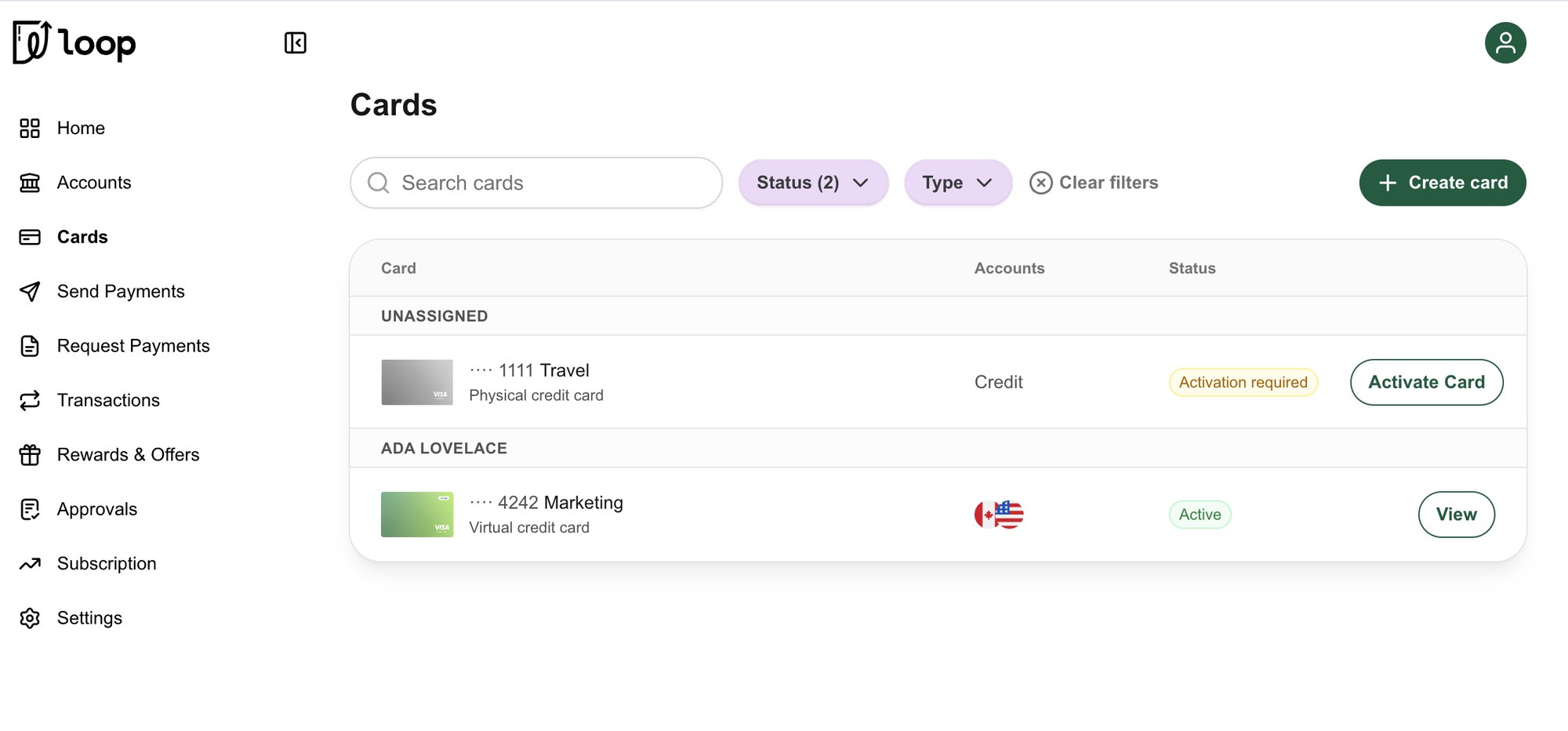
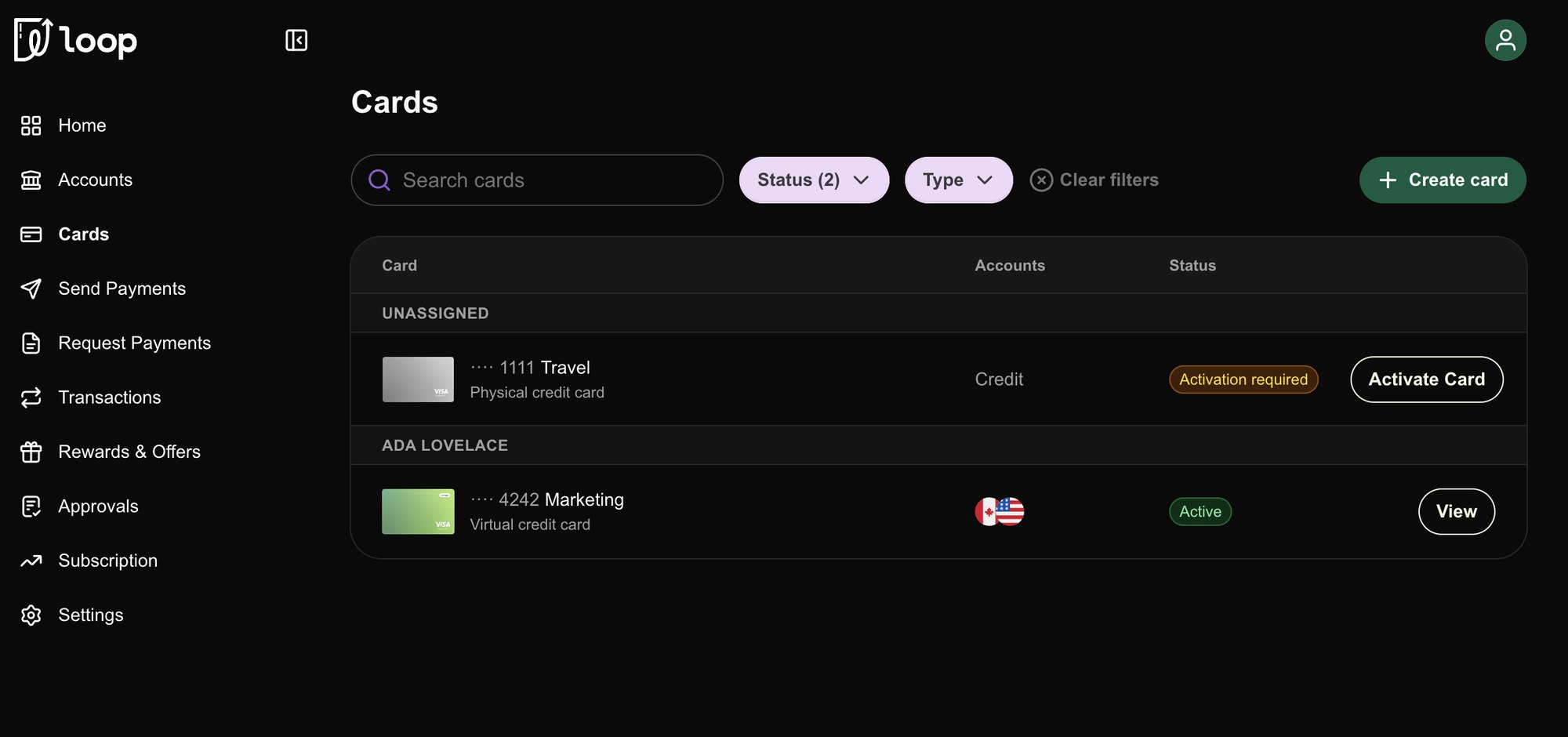
Evergreen: one green, white buttons, and a navy night mode
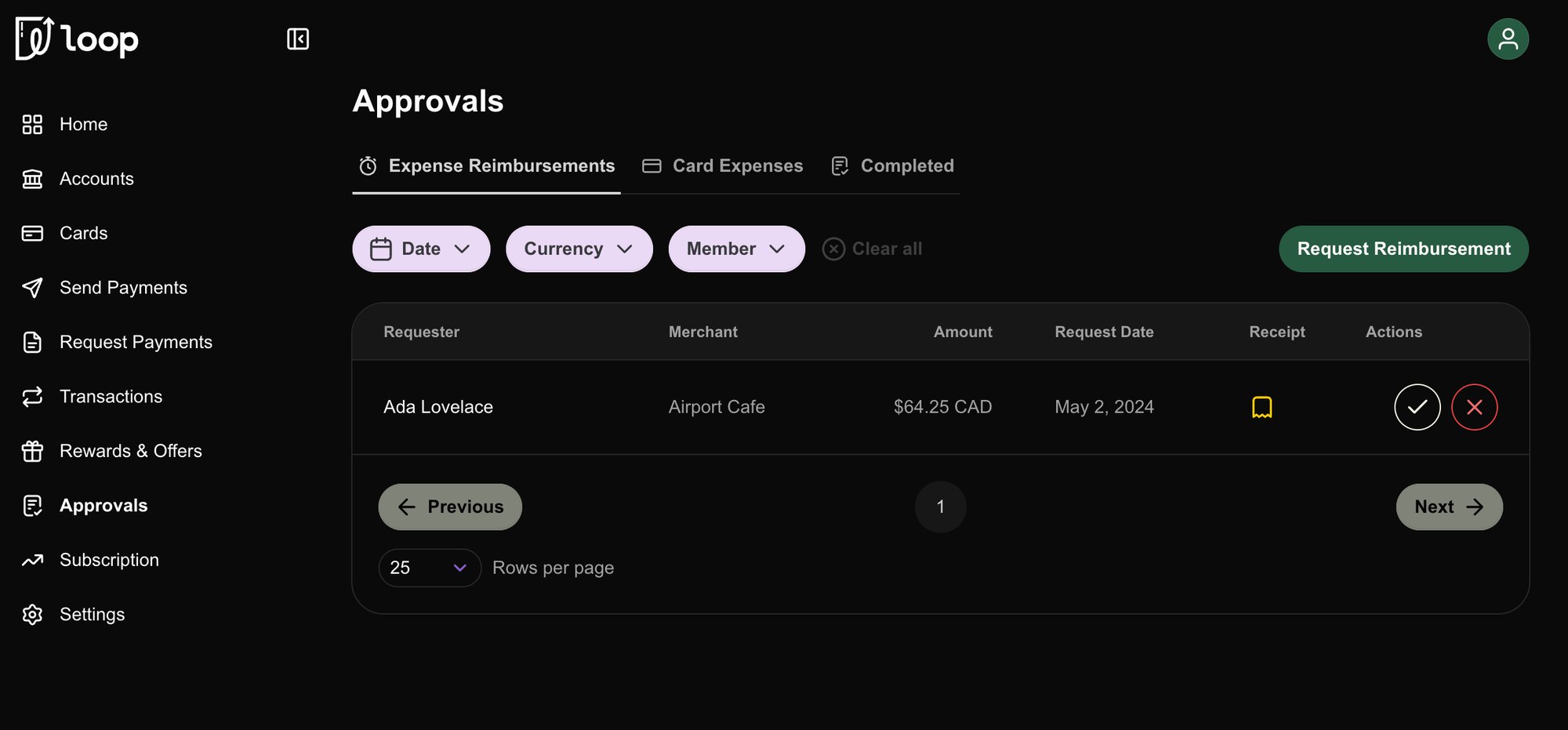
Before building tokens, I led a visual refresh. The lilac and light blue had to go: there were too many colours on each page, users had told us they preferred simple, clean interfaces, and the colours didn't add anything to the brand since they barely appear in Loop's writing outside a little marketing material. Secondary buttons and filters became white, and Loop green (#045B3F) became the one accent.
Dark mode moved from pure black to a deep navy (#070E1A), which is softer on the eyes and lets the green and the status colours sit on it without glowing.
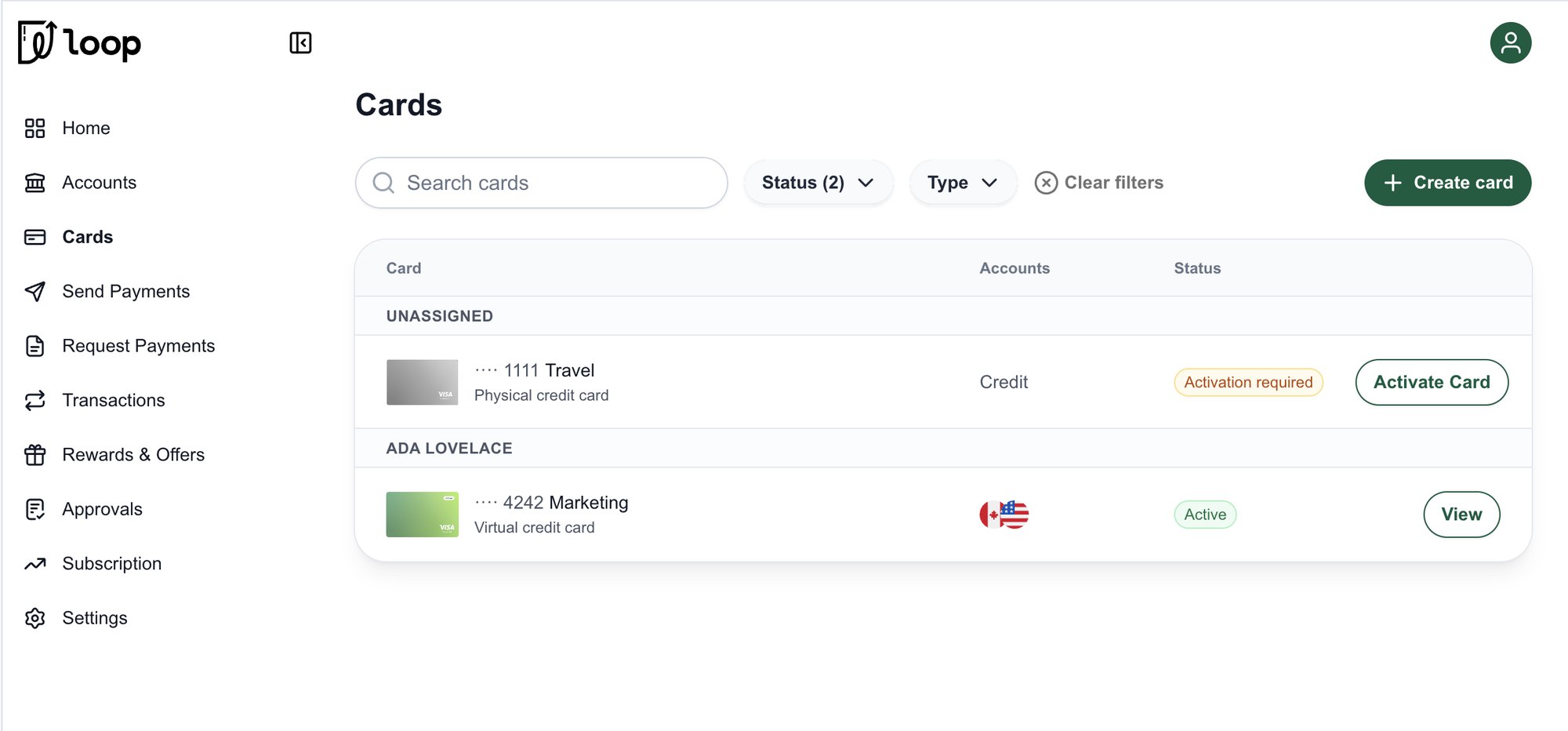
 BeforeAfter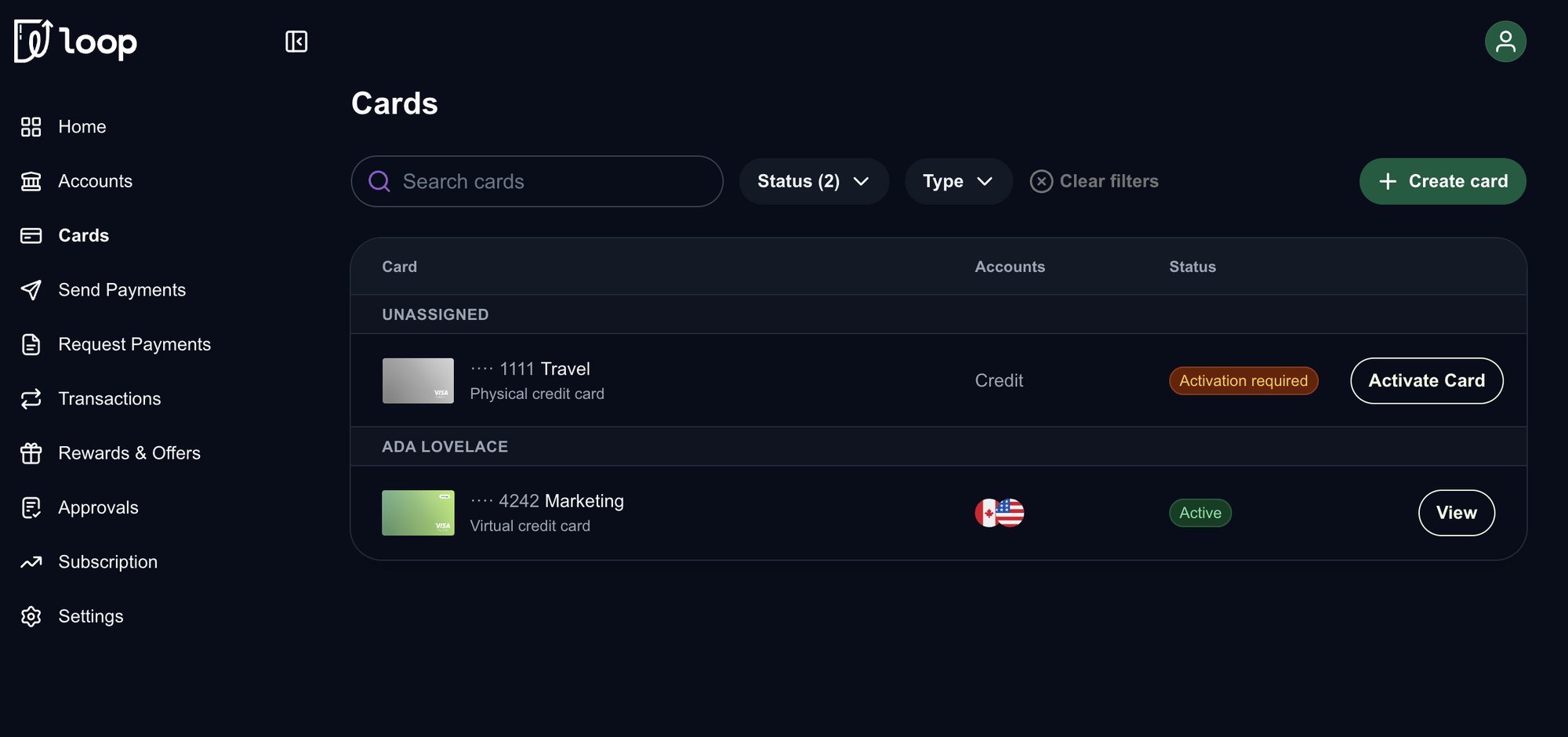
 BeforeAfter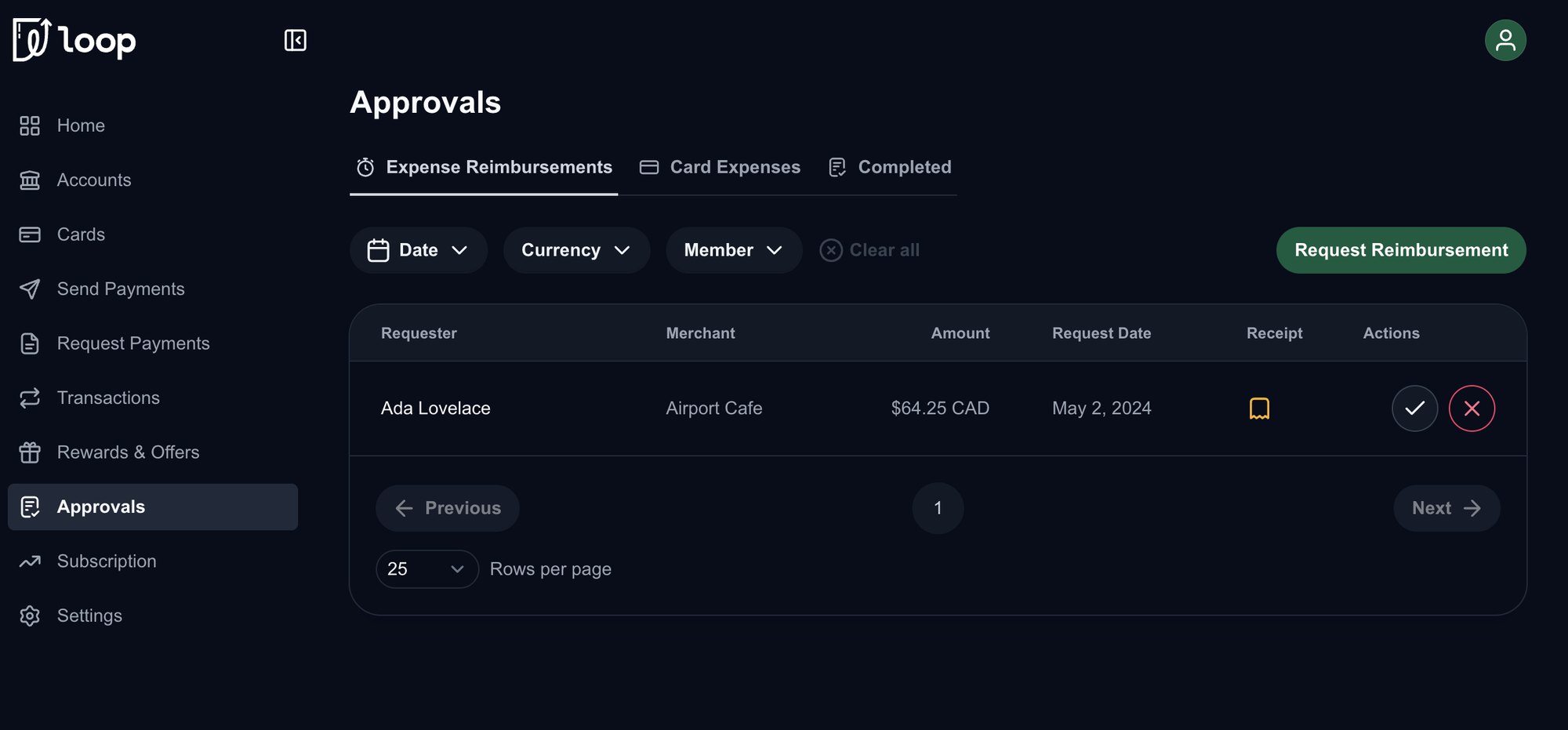
 BeforeAfter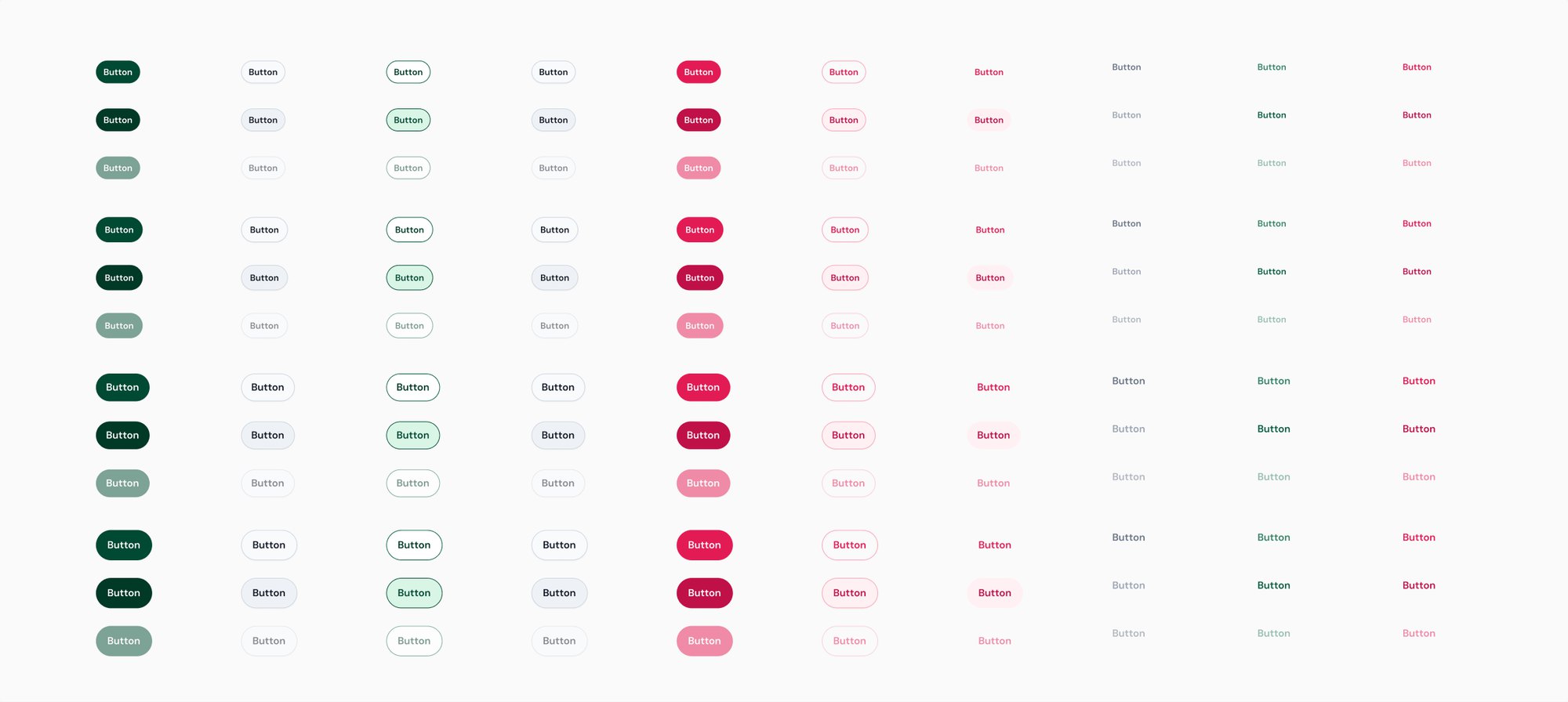
A typeface that's clean enough for finance, with some personality
Loop's brand face, Articulat CF, couldn't be used in the product, since we had no licence to use it there. That left Inter, which production had defaulted to. Inter is extremely accessible, but it's also everywhere, and it made Loop look like every other app.
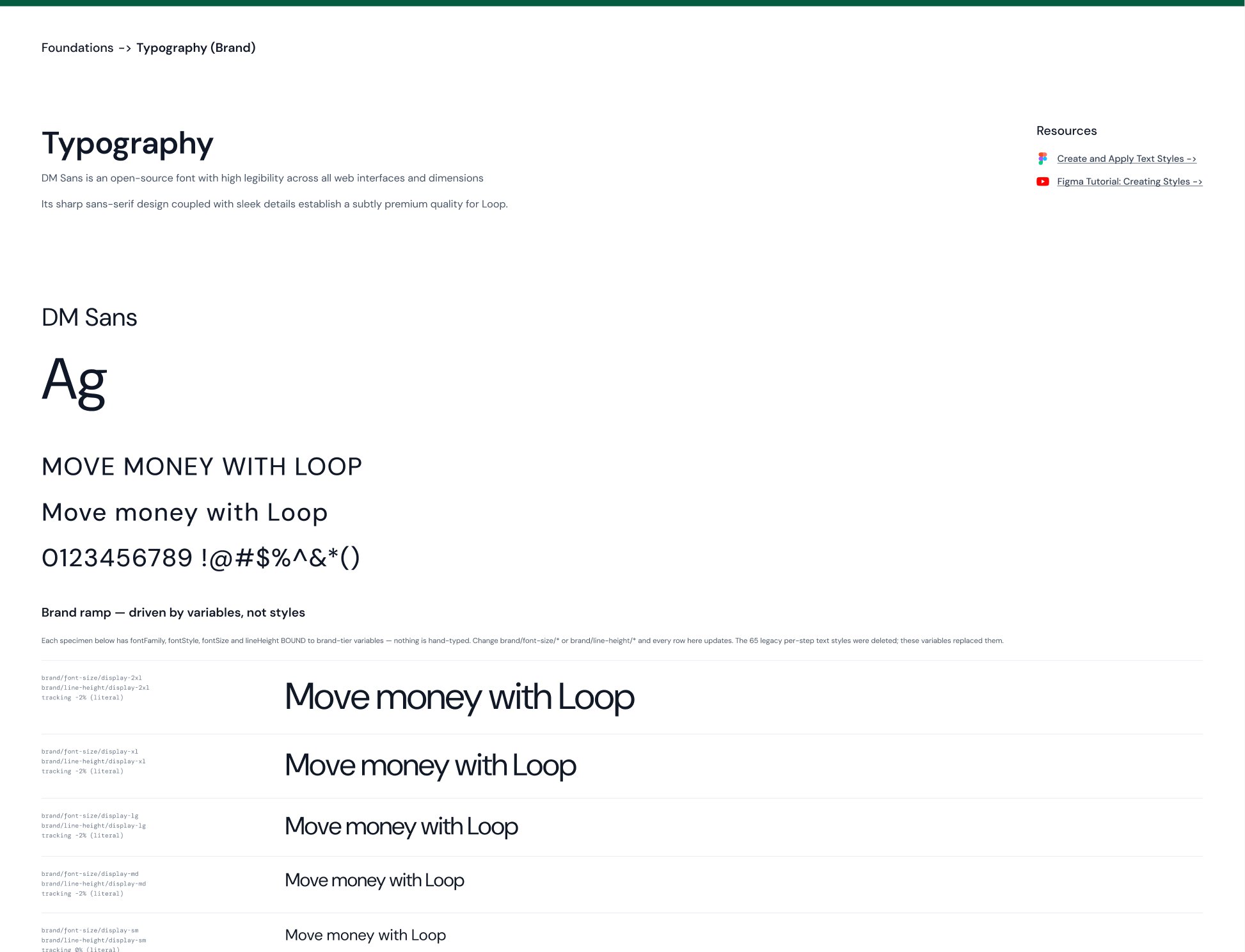
I chose DM Sans. It's clean enough for a fintech, with a slightly grotesque, modern feel in places that gives Loop a bit of character. It's open source, so it works in Figma, in code and in every tool the agents use.
Inter
Ag
Move money with Loop
$45,000.00 · 0123456789
Very accessible, and the default everywhere
DM SansChosen
Ag
Move money with Loop
$45,000.00 · 0123456789
Clean enough for finance, with some personality
Every text style is driven by variables for size, line height and tracking, so nothing is typed by hand. The 65 old one-off text styles were deleted and replaced by 40 typography tokens.
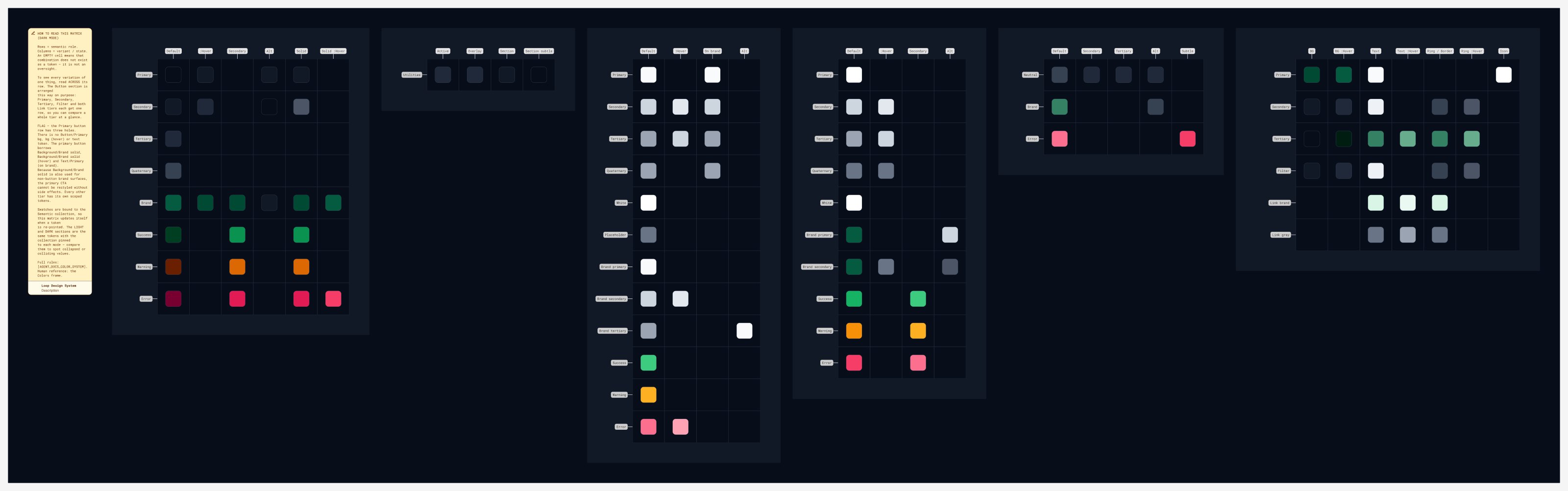
Three layers of tokens, so agents read meaning instead of hex codes
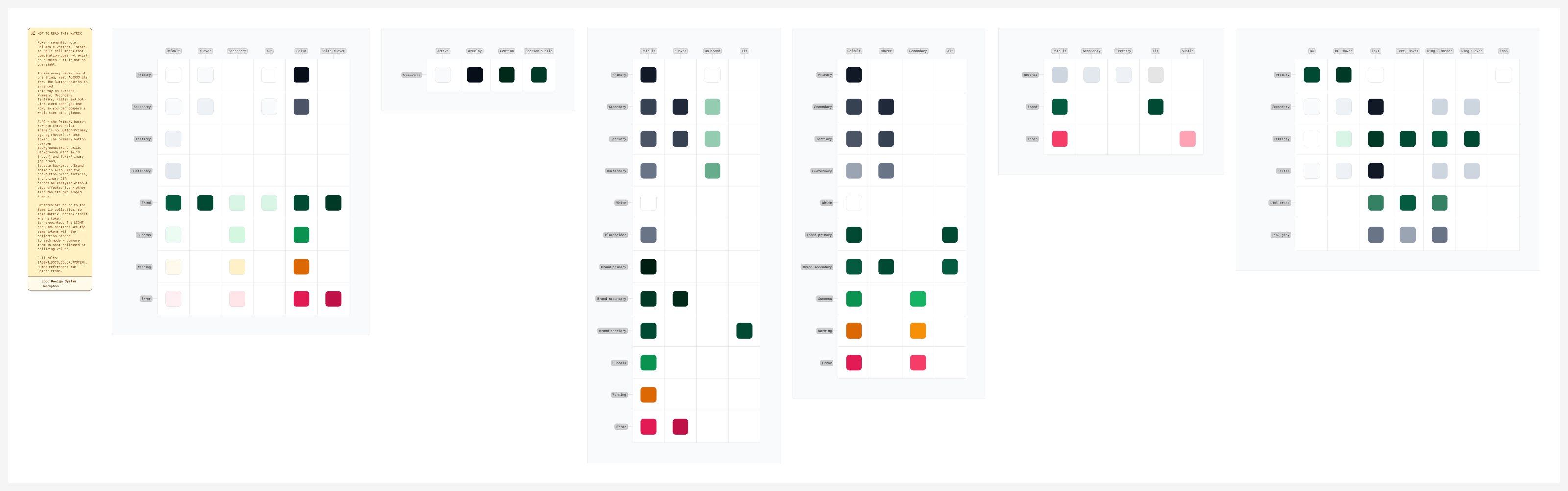
I set up tokens in three layers: brand values at the bottom, aliases in the middle, and mappings at the surface. Two layers would have been enough for a lean team with one product, but this system was going to be used by AI agents. From studying how other companies built theirs, I learned that agents struggle with raw values but do well with names that carry meaning, which is exactly what the alias layer gives them.
brand-600#004932bg-brand-solidPrimary button fillbrand-700#003926bg-brand-solid_hoverPrimary button, hoveredbrand-500#045B3Fborder-brandFocused input border| Layer | Count | What it holds |
|---|---|---|
| Colour primitives | 74 | Brand, grey and status ramps |
| Semantic colour tokens | 173 | Text, background, border and component roles, each with a light and dark value |
| Typography tokens | 40 | DM Sans sizes, line heights and tracking |
The tokens sync from Figma to Storybook through a token pipeline. In the last check, 246 of 247 colour tokens matched Figma exactly, and the one difference was notation, not value. That pipeline is what makes the MCP believable: if design and code drift apart, engineers stop trusting the library and agent-generated work stops being credible.
A failed onboarding screen became the first agent
The MCP started while I was redesigning Loop's onboarding. I pasted a few production hex codes into Claude Code and asked for a screening page. It came back looking like generic fintech: pill buttons instead of Loop's radius, a generic sans-serif instead of DM Sans, and greens that were close but not real tokens.
I had never built an agent or written a skill. In a sandbox, I set up a loop and ran it until it held.
- 1Write a screen spec
- 2Generate code
- 3Compile it
- 4Test the output
- 5Correct and repeat
False success
One run reported success after writing an empty file, because the script swallowed a malformed response.
Wrong pass
Another passed only because the agent had quietly fallen back to plain HTML instead of Loop components.
Both failures changed how I verified things: a green check meant nothing until I knew what had actually passed. I connected the agent to Loop's Storybook manifest of 114 real components and the repository's rules (semantic tokens only, real imports, no invented components), so generated screens had to compile against the actual codebase. Once that worked end to end, I turned it into the first skill.
Fifteen narrow skills, each with one job
Narrow skills hallucinate less, are easier to test, and each one maps to a real kind of request at Loop. None of them publishes to production. Skills that make product UI are checked against the code; skills that make content are checked by a person.
| Skill | Use for | Checked by |
|---|---|---|
| loop-design-system | The reference every other skill builds on: colour, type, layout, radius, token rules | Reference, not output |
| generate-loop-ui | Product screens and components using real components | Type check and render |
| prototype-loop-ui | Throwaway product prototypes in a sandbox | Type check and render |
| spec-loop-feature | Turns a one-line idea into a build spec, then stops for review | Person |
| rebrand-to-loop | Re-skins a vibe-coded page into Loop's system | Person |
| loop-marketing-subpage | New bankonloop.com sub-page prototypes | Browser review |
| loop-email-template | On-brand SendGrid emails with automatic dark mode | Email client preview |
| loop-brand-deck | Editable sales and marketing decks | Person |
| loop-social-post | LinkedIn, X and Instagram posts with captions and alt text | Person |
| loop-design-qa | Reviews a screen or pull request against the system | Person |
| loop-ux-friction-review | Walks a flow as Loop's target customer and reports the friction | Person |
| loop-compliance-review | Reviews a surface as a Canadian fintech compliance lead | Person |
| reconcile-loop-design-system | Audits code against design tokens | Report against code |
| loop-ui-copy | Microcopy in Loop's voice, with French | Person |
| loop-screen-states | Finds and builds missing loading, empty, error and pending states | Type check and render |
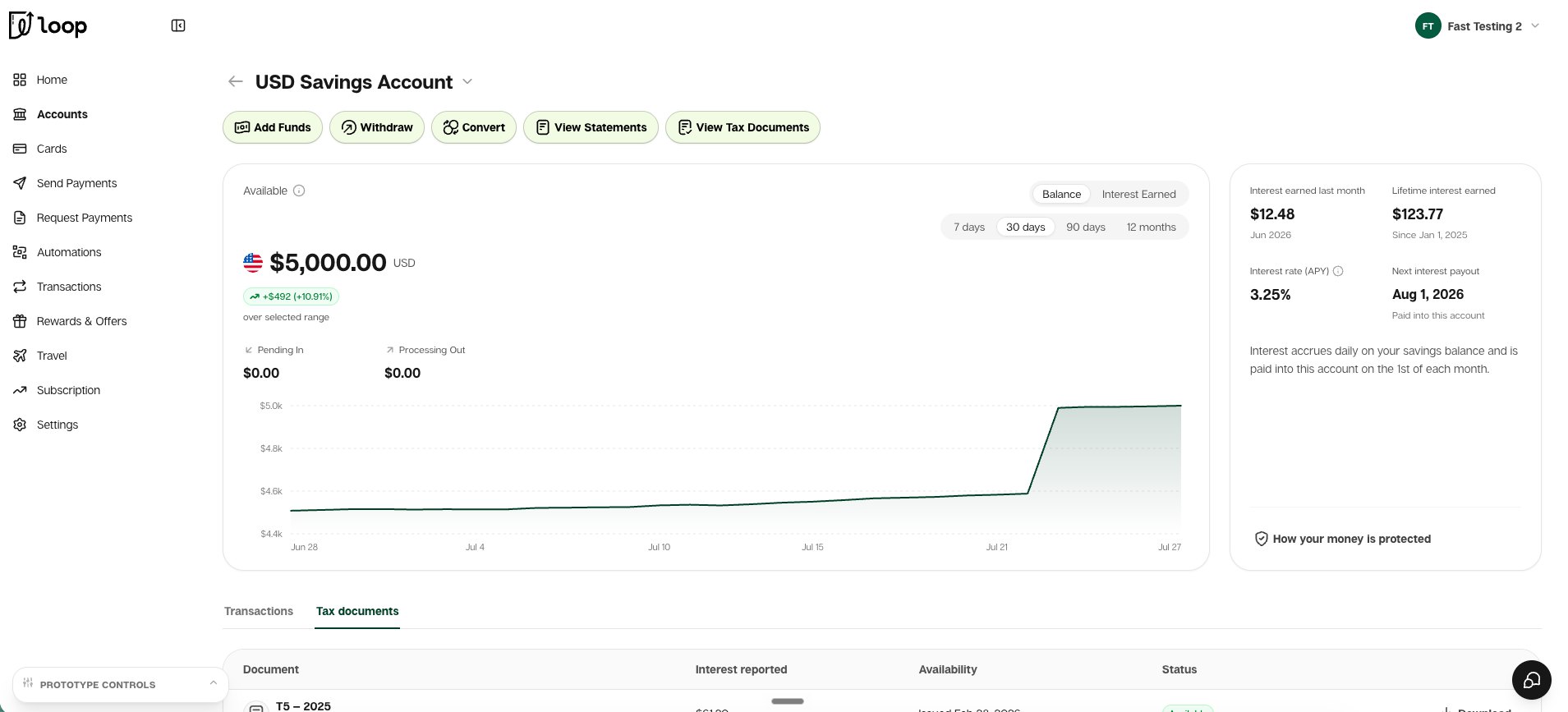
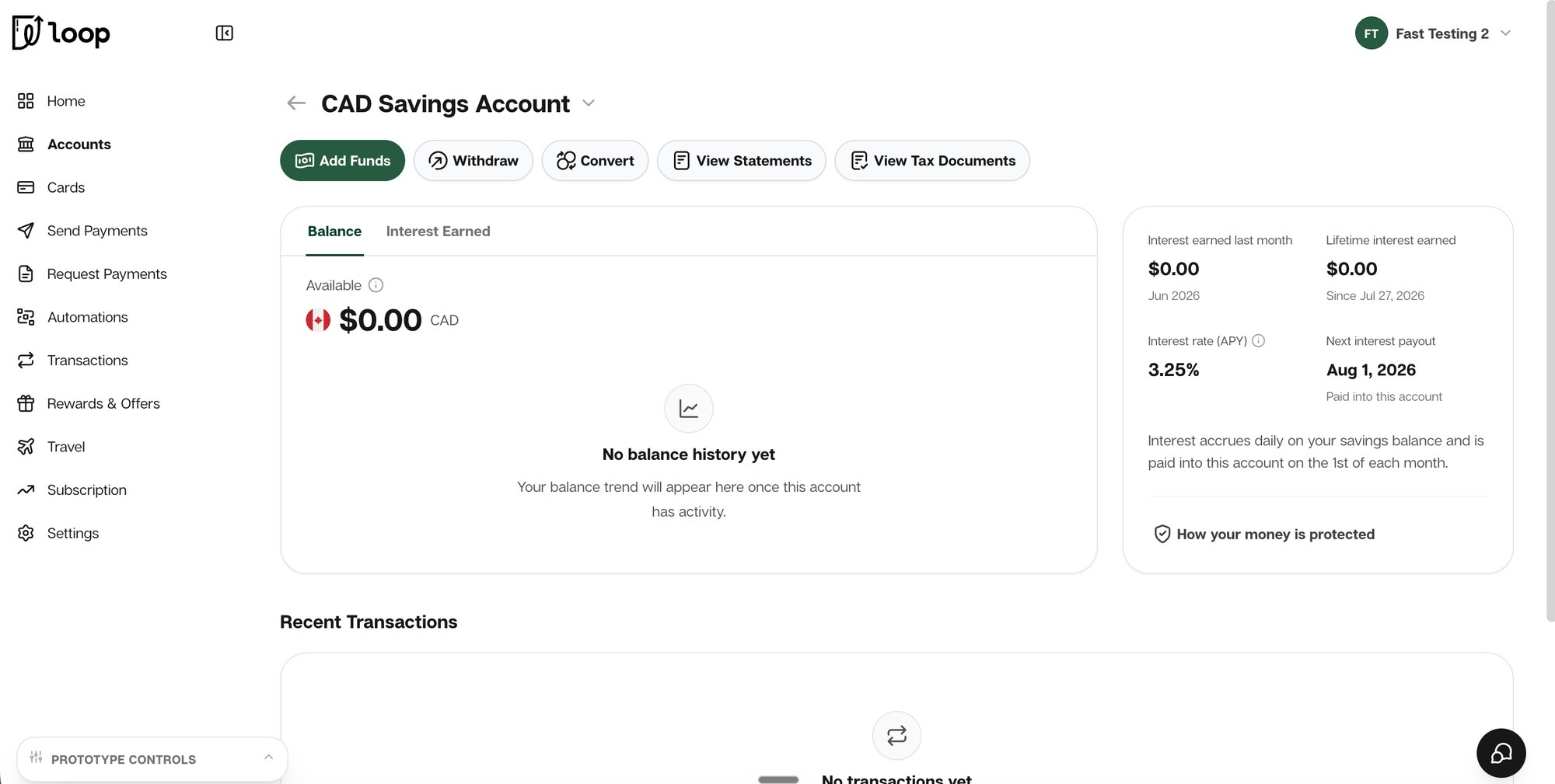
prototype-loop-ui, for engineers and PMs
Engineers and PMs use real-component prototypes as a visual target for new work, like these savings account pages. They're starting points, not production code.
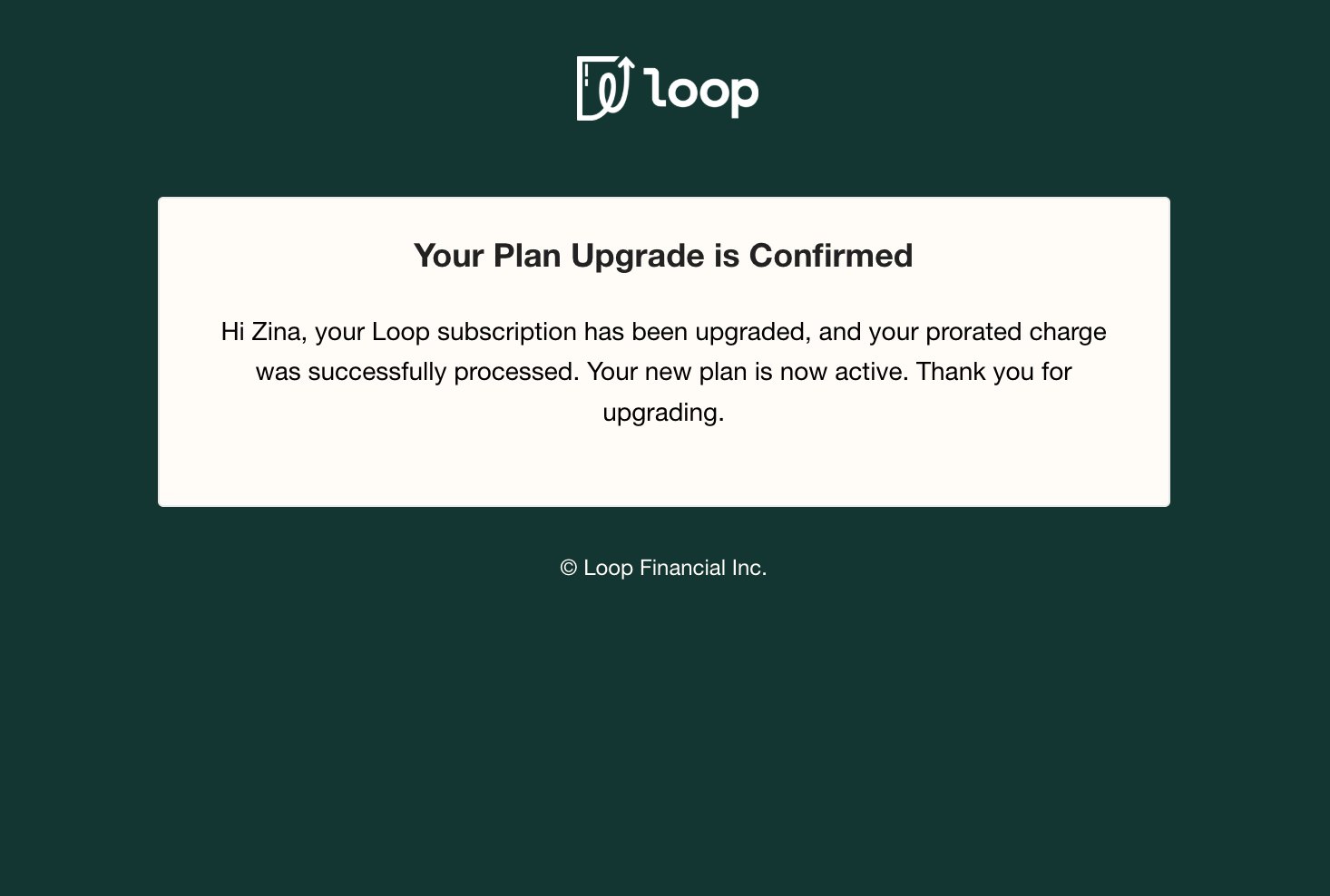
loop-email-template, for every email Loop sends
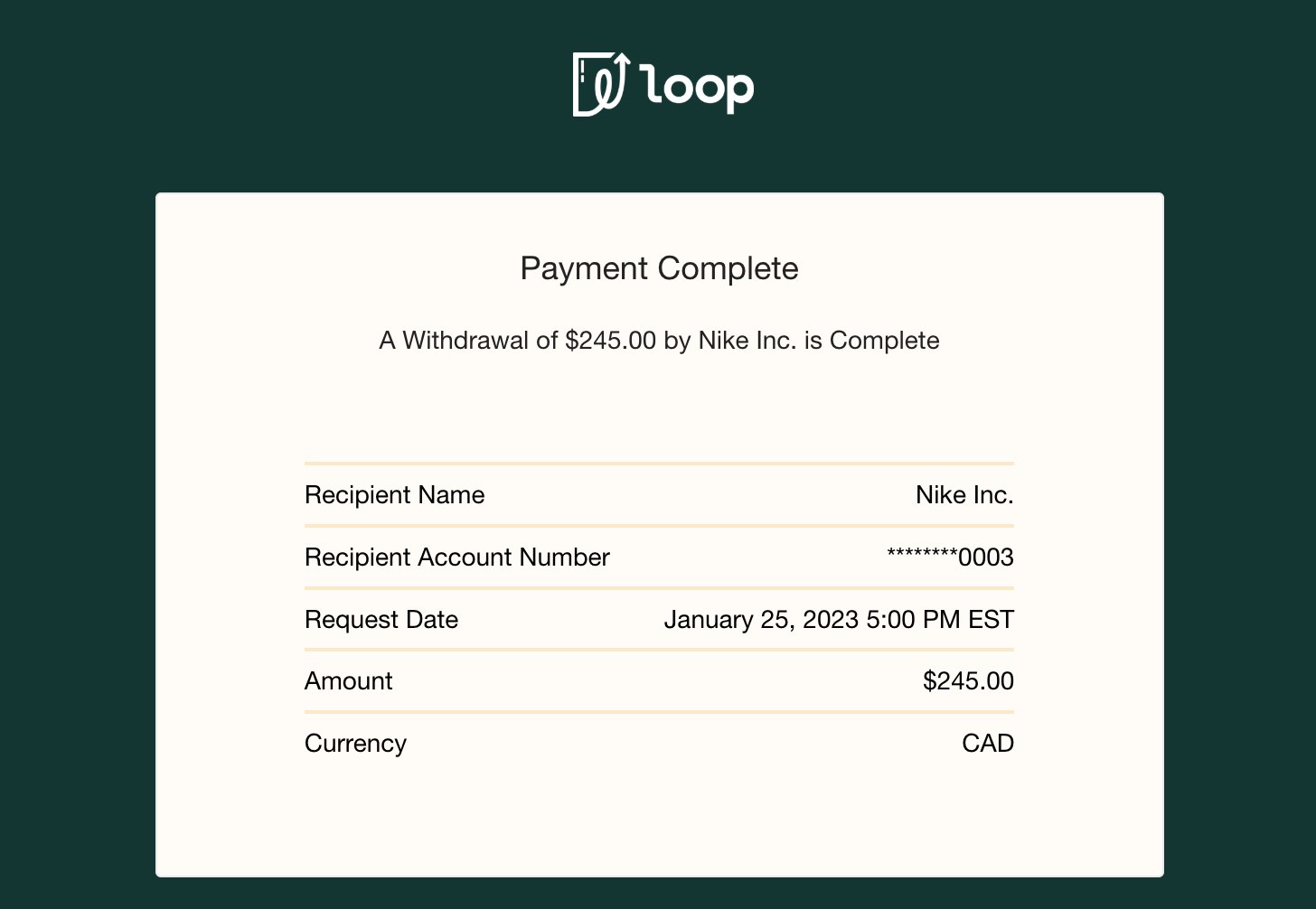
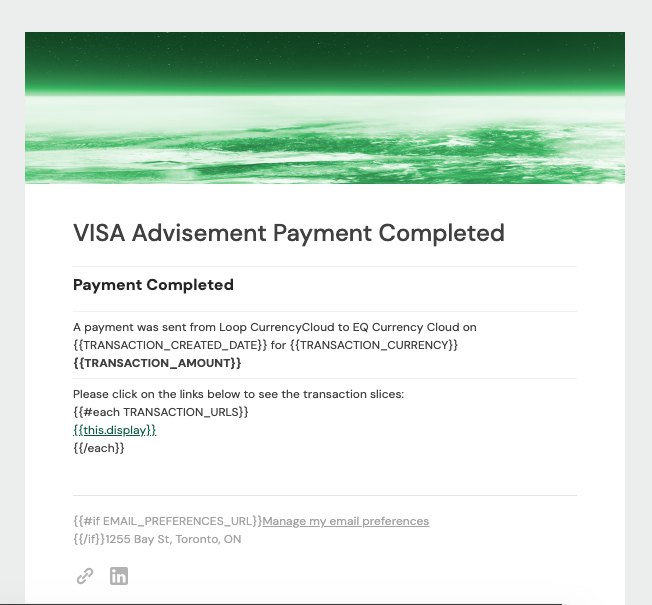
Loop had more than 200 SendGrid templates with weak hierarchy, retired domains and generic type. The skill uses a shared set of blocks with Outlook support, dark mode and a 600px card. I rebuilt all 200+ templates with DM Sans, #045B3F buttons, current footers and updated bankonloop.com links. The skill never invents amounts, codes, dates, offers or legal copy.
loop-brand-deck, for growth
Growth can generate editable sales and marketing decks from the same tokens and 46 brand assets, instead of rebuilding slides from screenshots, so their time goes into personalising the outreach.
loop-ux-friction-review, for anyone with a flow
Share a prototype, a staging link or a set of screenshots, and the skill walks the flow in character as Loop's target customer and reports where it gets stuck. It gives people without a designer nearby a first round of UX feedback.
AI-generated design is allowed when we need to sketch a generic prototype quickly, or when a front-end feature needs to ship for testing and a joint engineering and design effort isn't timely. Anything backend, or anything touching real user data, stays human and is audited by the risk team.
I wrote that rule early. Without it, the MCP would have become the fastest way to ship subtly wrong things at a regulated fintech.
Meeting people in the tools they already use
I deployed the MCP to Loop's GitHub and Vercel, and people connected to it from Claude Code with one command. Engineers were already comfortable in a terminal. For customer success, growth, sales and recruiting, I ran live demos, helped people set up their terminals, and taught some prompting basics.
Teaching non-technical people to use a command line turned out to be the hardest part, so I also brought the design system into Claude Design and Retool. Those friendlier tools became the way in for most people outside engineering.
- The customer success team was generating documents the same week.
- The engineering lead used the deck skill for pager-duty workshops.
- Senior developers used the prototype skill for new product flows, like the credit application page.
- After the new email templates went live, the CEO shared that customers were reading them and sending more feedback.
- Since I left, people have kept using it, including for LinkedIn posts.
55 people have access, and around 20 to 30 use it regularly across teams. Work that used to take the engineering team five days to design, like a new feature or a UX overhaul, now takes one. The onboarding redesign was built on the system too, and ships in Q4.
The MCP also turned into a diagnostic for the system itself. Missing components, missing typography and layout primitives, and tokens that defaulted to black all showed up the moment a skill tried to use the real system and failed.
What I'd carry into the next one
As the only designer, build things that multiply. The leverage wasn't in shipping more screens. It was in building something that lets a company do design without waiting on me.
Start with three skills, not fifteen. I'd ship prototypes, email and decks first, measure real use, then expand. Access isn't the same as adoption.
Automate the boring checks. I tested 200+ emails by hand across Gmail, Outlook, Apple Mail and iOS. A tool like Litmus would have saved days. And a live connection to Storybook, instead of an exported manifest, would keep every skill in sync on its own.
The hard part is defining good. Which components are real, which tokens are current, which colours are off limits, and what the system must never invent. Distribution without taste is just more noise, faster.