
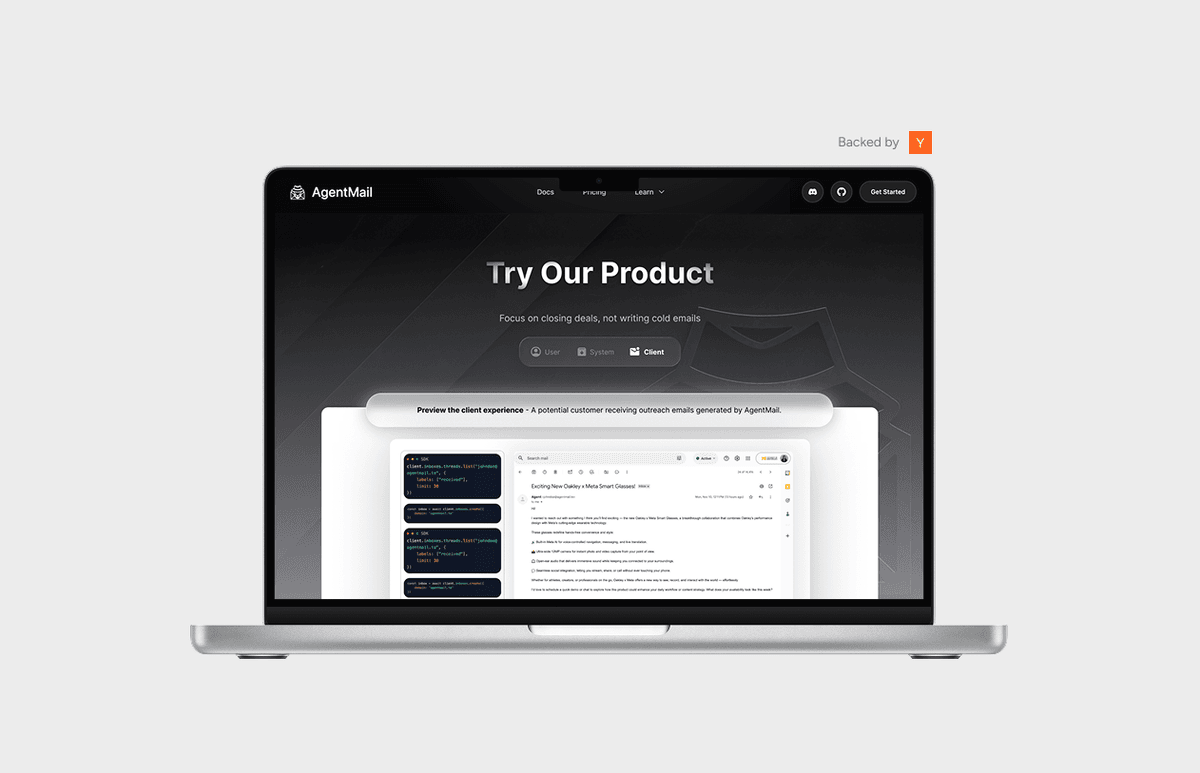
AgentMail Product Demo
Central idea
Make an AI email agent feel familiar enough that busy, non-technical people would trust it with their inbox.
- Role
- Product Designer
- UI/UX
- Duration
- 2-week sprint
- Fall 2025
- Scope
- Interaction design
- Visual design
- Demo storytelling
- Toolkit
- Figma
- Framer Motion
- GSAP
AgentMail wanted visitors to watch an agent send email in real time
AgentMail is a YC S25 startup that gives AI agents their own email inboxes. Developers use its API to create inboxes and send, receive and reply to messages in code. The product is powerful, but an API is hard to show off on a landing page.
In Fall 2025, AgentMail asked our team at Atlas Digital, a consulting group at the University of Michigan, to build an interactive demo for their site: something visitors could watch think, act and email on its own. I joined as the product designer and designed the screens and layout of the frontend in a two-week sprint.
- Design sprint before the midpoint
- 2 weeks
- Views in one demo
- 3
- People on the team
- 7
The team realised they needed a designer two weeks before the midpoint
The team started out thinking the project didn't need a designer. Their first ideas were practical agents, like a sales rep that routes emails and a quote agent that replies to requests. Then they pivoted: the demo needed to show a fully autonomous agent, and it should put the spotlight on the API, sending and receiving email at scale, rather than on any one use case.
The new idea was a short, playful storyline in the spirit of The Office. You're an overworked salesperson at a paper company, and you launch an agent to do your outreach for you. Two weeks before the midpoint, the team realised someone had to turn that into screens, and I was brought in.
The story was mostly set by then. I helped choose the busy salesperson as the person the demo speaks to. The rest was mine to decide: who the demo was really for, which views to show, and what happens in each.
I designed for busy people who don't speak AI
With such a narrow scope, everything came down to knowing exactly who I was serving. The people watching this demo aren't necessarily developers. They're busy, they want something to take work off their plate, and they don't have much AI fluency. They also need to trust it enough to hand over their inbox.
So the question became: how do we make sure people aren't put off by the idea of AI emailing for them? My answer was to introduce it slowly, through things they already know: an inbox that looks like Gmail, a message from a manager, and code shown as a simple card rather than a wall of terminal output.
One demo, seen from the salesperson, the system and the lead
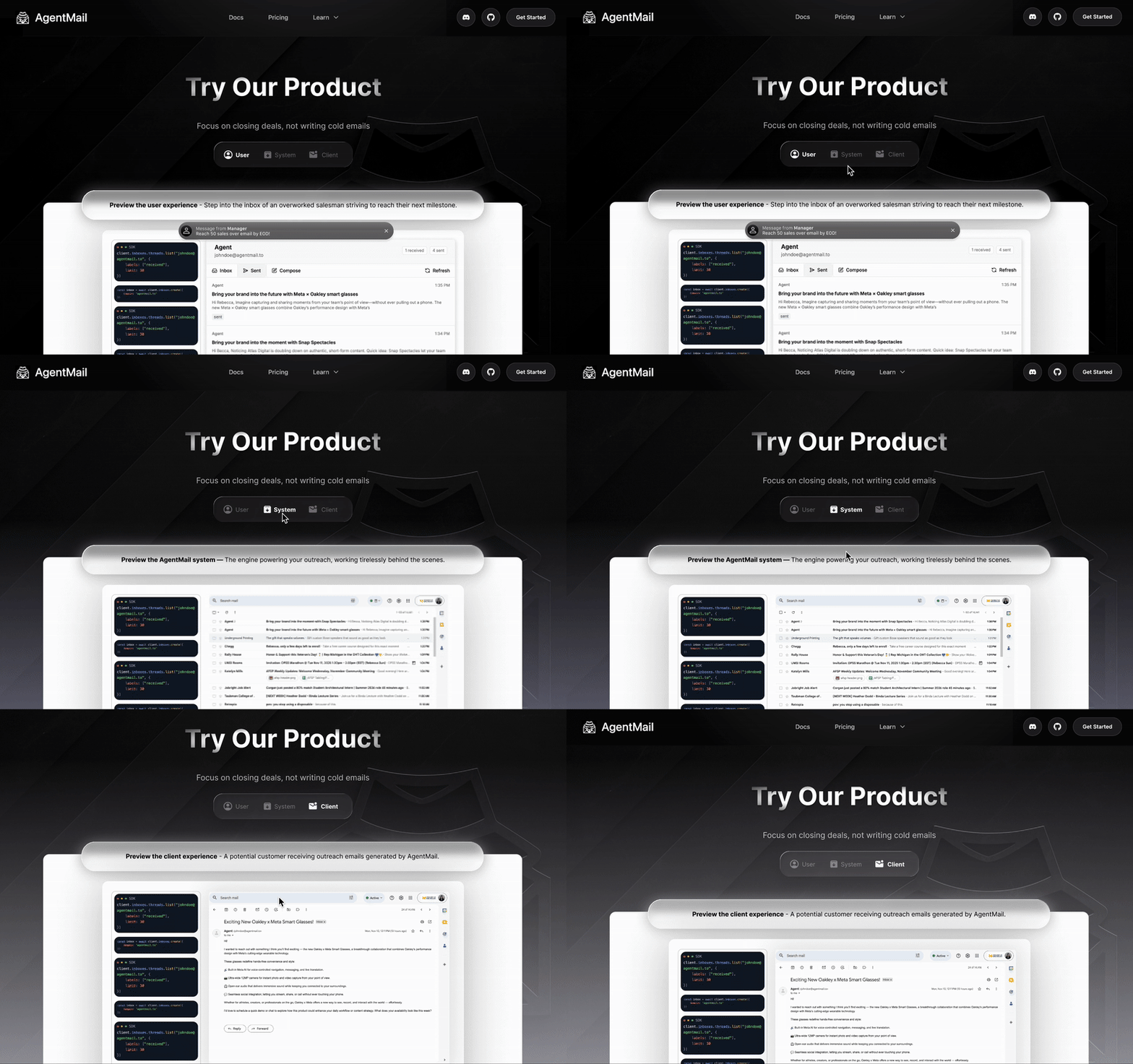
My first proposal was a step-by-step walkthrough: the user's first prompt, then AgentMail picking it up, then how the system works, and finally the result. The team helped me sharpen that into three perspectives on the same moment, the person sending, the system doing the work, and the lead receiving the email. A toggle lets visitors switch between them.
A step-by-step walkthrough
Prompt, AgentMail, how it works, result. Clear, but it reads like a tutorial and makes visitors wait for the payoff.
Three perspectivesChosen
User, system and client side by side behind one toggle. Visitors pick what they care about and see both ends of every email.
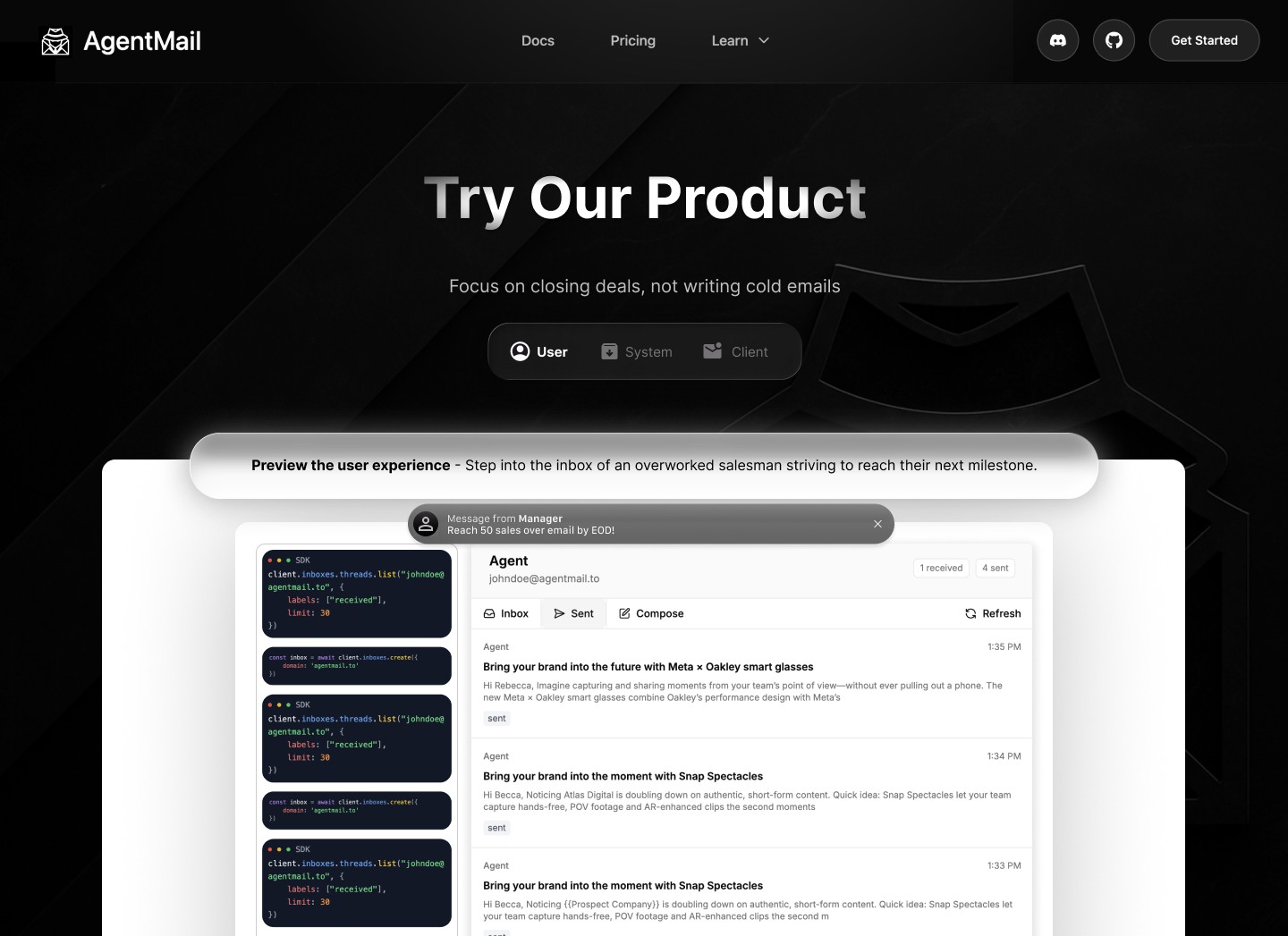 12345
12345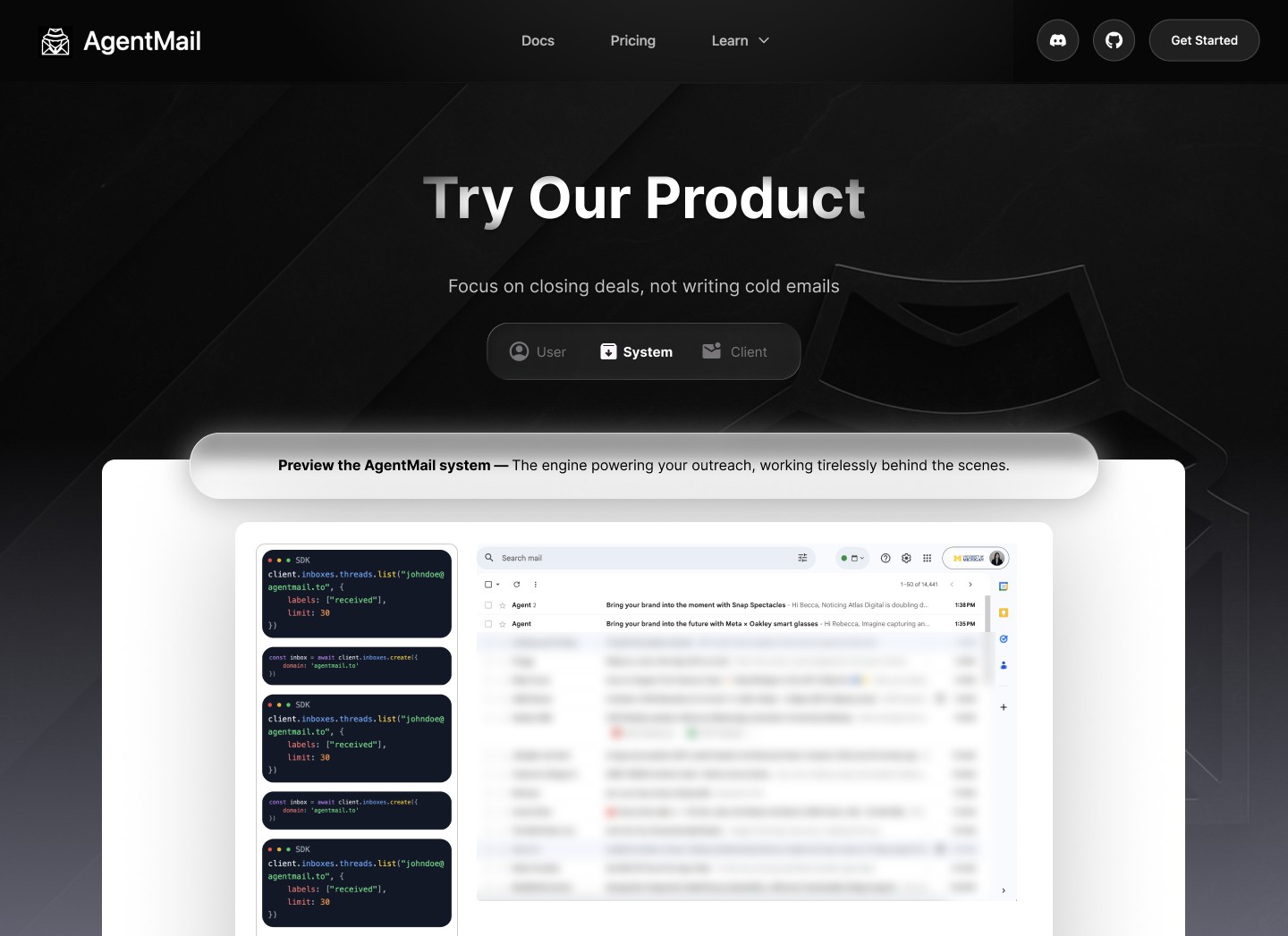
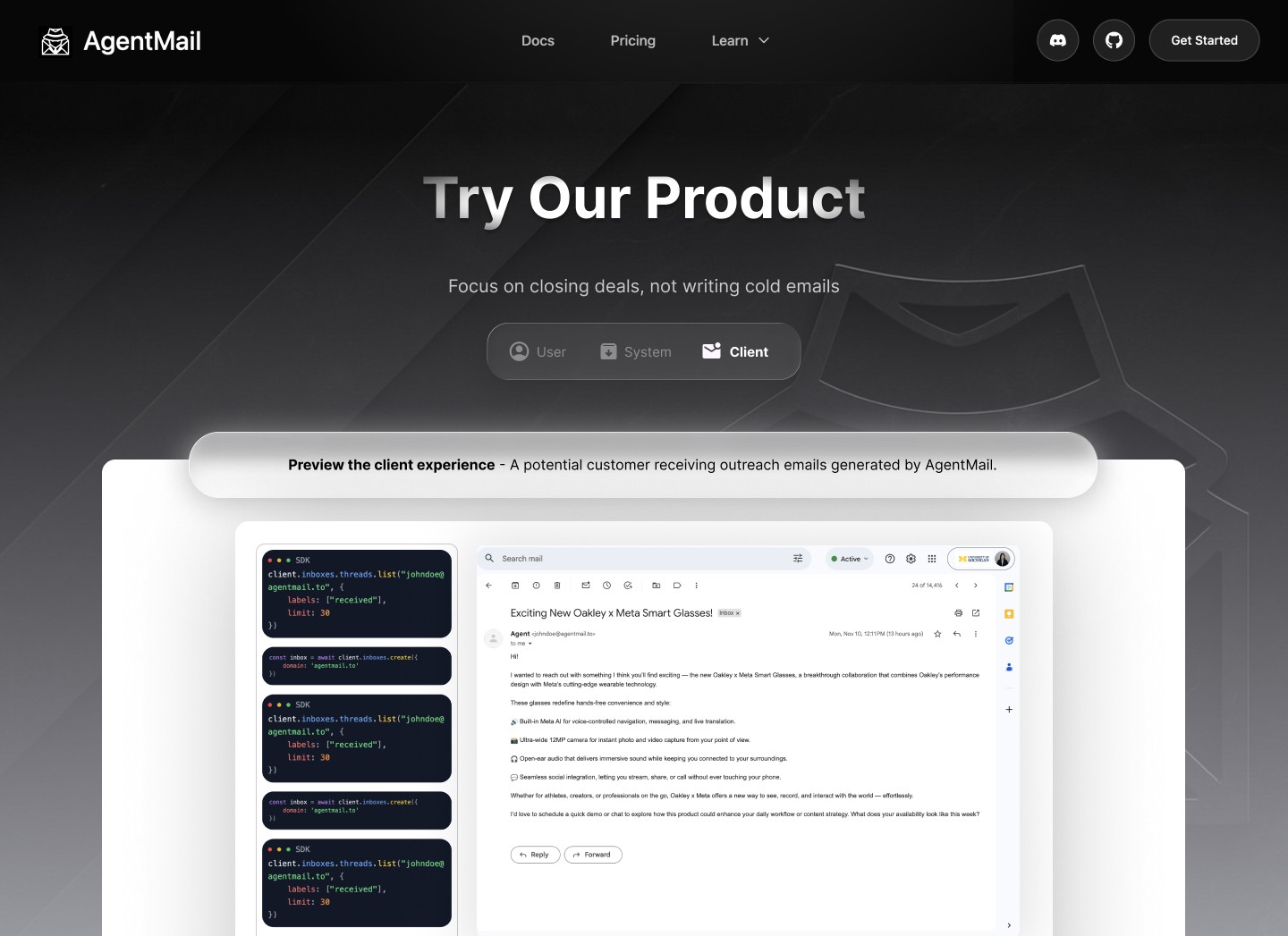
The salesperson
- 1A liquid-glass toggle to switch perspectives
- 2A banner says whose view you're in
- 3The manager's message sets the goal
- 4SDK cards hint at the tech underneath
- 5A familiar inbox, so it still feels like yours
Every detail leaned on something people already know
Liquid glass for a product on the frontier
AgentMail's brand is about efficiency: automating email and finding leads is ergonomic, fast and technical. Handing your outreach to AI is about as modern as it gets, so I used liquid glass for the toggle and the banners to carry that feeling into the interface.
A message from the manager to start the story
Before anything happens, a notification from your manager tells you to reach 50 sales over email by the end of the day. It's there purely for storytelling, so visitors immediately understand what they're looking at and whose shoes they're in.
SDK cards instead of a terminal
The original pitch had a scrolling terminal of live API logs. For people who aren't very technical, that's noise. Short SDK cards say the same thing in a friendlier way: there's serious technology behind this, it's been thought through, and you can rely on it.
A Gmail-style inbox to keep people in control
Showing the agent's work inside an inbox that looks like Gmail tells people their mailbox is still theirs. The AI works inside a space they already understand, instead of off somewhere they can't see.
The shipped frontend stayed close to the Figma
After the midpoint, the engineers built the demo in React with Framer Motion animations, following my screens closely. Testing the build surfaced two problems. Generating many emails took time, so visitors sat waiting, and it wasn't always clear when to click or where the flow went next.
The team cut the wait by generating all the emails in one API call instead of one per email, adding an exit timeout, and giving the loading agent more buffer time.
The demo ran on AgentMail's marketing site for a while, until they refreshed the site and replaced it for strategic reasons, which is normal for a startup moving this fast.
A narrow brief made me get specific about who I was designing for
Know exactly who you're serving. With only a demo to design, there was no room for a vague audience. Pinning down a busy, non-technical person who wants help but needs to trust it shaped every decision, from the inbox to the code cards.
Introduce new things through familiar ones. People accept AI more easily when it shows up in places they already know. Gmail, a manager's message and a simple code card did more to build trust than explaining the technology would have.
Going straight to high fidelity can work. With two weeks and a story already set, I went directly to high-fidelity screens. It worked here because the hard decisions were about perspective and tone, which are easier to judge on finished screens.
Design for the system, not just the component. I introduced new elements like liquid glass, which really meant changes to whatever design system AgentMail was working from. They were likely building most of their site in Cursor without an established system, so there was little to align with. Looking back, the ideal handoff would have paired the demo with a short design guideline for their marketing pages, so the new pieces could live on after the demo itself was replaced.